Tableau | Data visualisation | Tool strategy | Industry trends
 New Features coming to Tableau 2022.1
22.1 is the spring groundwork release, so don't expect headline wow features, but admins and authors alike will find plenty of useful tidbits here.
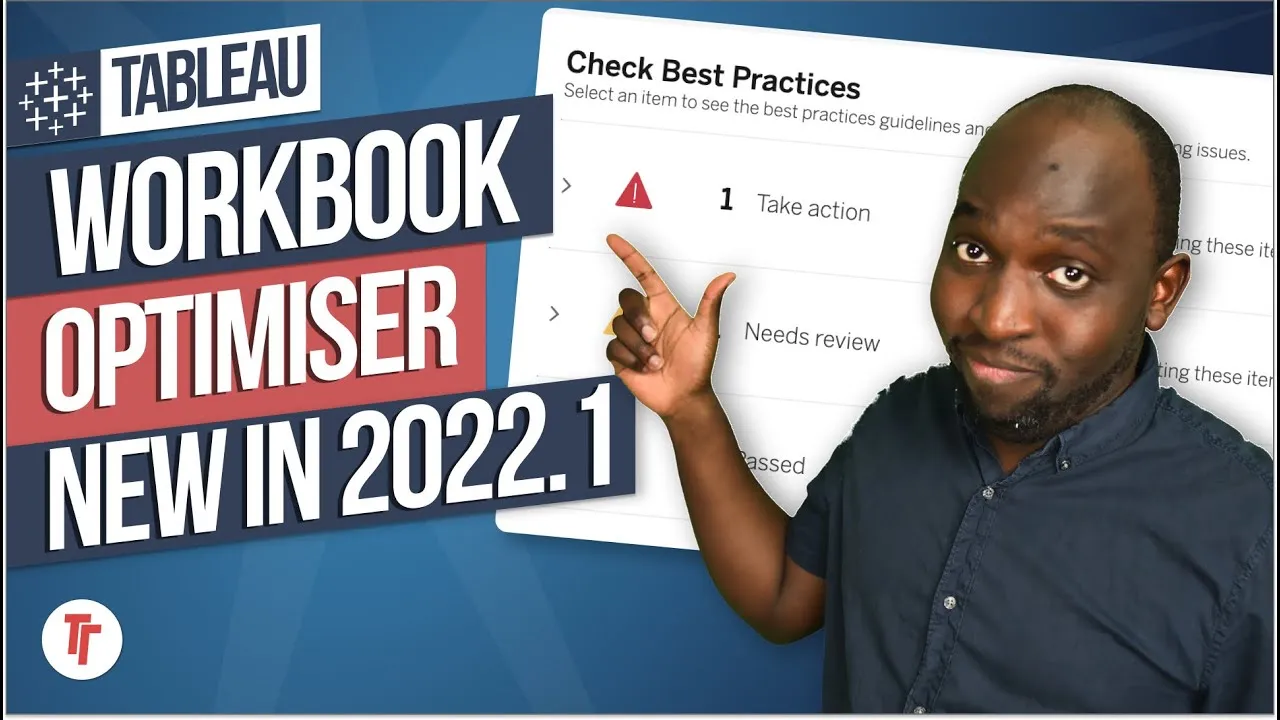
- The Workbook Optimizer runs 12 best-practice checks at launch with red/amber/green indicators, flagging performance and accessibility issues and telling you what you've done well, not just what's wrong.
- Customize View Data finally lets you choose which columns show, reorder them and export tables in specific ways, all compatible with Tableau's accessibility guidelines.
- Server admins gain real control over background resource limits per site, plus an independent gateway you can install outside Tableau Server and hyperspooling monitoring to spot when Hyper writes to disk.
- View Acceleration claims workbooks up to 100x faster at the push of a button, likely by pre-loading or caching views rather than genuinely speeding the underlying query.
- The .1 release is foundational groundwork rather than headline features, so expect the bigger wow features in the .2 or .3 releases later in the year.
- Why I've been away0:00
- High-level overview of the release0:45
- Workbook Optimizer5:15
- New search experience8:13
- Ask Data Phrase Builder9:19
- Enterprise deployment guidelines11:02
- Background resource limits12:14
- Customize View Data14:23
- Data Freshness Parquet connector15:31
- New accelerators on Tableau Exchange17:14
- New connectors on Tableau Exchange20:16
- Tableau Server independent gateway22:24
0:00Hey, it's Tim here. I haven't made a video
0:01in a long, long while.
0:03Essentially, I've just been under the
0:04weather for the last couple of months.
0:06I've had colds, I've had flus, I've been
0:08busy. Life's taken over, but
0:0922.1 is about to come out, so I'm back with
0:13another video going through all the
0:15features
0:15that are coming soon in 21.3. In the coming
0:18weeks, we'll obviously start covering all
0:20the videos to
0:21cover all the new features in this release,
0:23but for now, let's have a look at what's
0:24available
0:25on the website. As I go throughout this
0:27video, there's going to be timestamps,
0:28sort of covering all the sections. After
0:30the overview, if you just want to jump to a
0:32specific
0:32section and find out more about that, go to
0:34the chapters on your phone or on desktop
0:36and skip
0:37ahead to that section. Or just go to the
0:38description, open that up, and there'll be
0:40timestamps there to jump ahead and skip to
0:42the various bits you're interested in.
0:45Okay, so here we are on the coming soon
0:46page. Tableau normally releases this with
0:49about
0:50a month to maybe a month and a half to go.
0:52This came out last week, so I think 22.1 is
0:58probably
0:58going to land towards the end of March or
1:00maybe early April. It can always shift a
1:02week or two
1:03here while marketing get their stuff in
1:05order. But also, if you head to Tableau
1:07Online, some
1:08instances of Tableau Online have already
1:10upgraded to the latest version. So actually
1:12, if you're
1:12using Tableau Online, some of these
1:14features on this page might already be
1:16available to you. But
1:17let's just take a quick high-level overview
1:20of what's coming in this particular release
1:23,
1:23and then we'll probably just go into each
1:25of them in a little bit more detail in the
1:27future,
1:27of course, but also in this video, just
1:29digging into what they are. So we have the
1:32workbook
1:32optimizer, a new search experience, ask
1:35data phrase builder. Ask Data has been
1:37getting a lot
1:38of love every single release, so it's no
1:39surprise that that's still here. Enterprise
1:42deployment
1:42guidelines, background resource limits,
1:45customizing view data, data freshness,
1:48data freshness parquet file support. So it
1:51's always interesting. Tableau always put
1:53these
1:54capabilities in sort of an order and in
1:57grouping. So data freshness is the category
1:59,
2:00and that is essentially relating to a new
2:02connector that you can connect to. So that
2:05's what
2:05that is. We'll go into this in a little bit
2:07more detail. New accelerators on the Table
2:09au Exchange.
2:09The Tableau Exchange has been around with
2:11us now for a release. I was pretty critical
2:14of this in
2:14my video. I kind of watched that back and I
2:16thought, man, it really went in on that
2:18thing.
2:19But nonetheless, hopefully there's an
2:21opportunity for Tableau to improve over
2:23time.
2:24New connectors on the Tableau Exchange. We
2:26'll get into that. Tableau server
2:27independent gateways,
2:29hyperspooling monitoring, slack integration
2:32for monitoring, swap with root table for
2:34the data
2:35model, tabpy model evaluation function, so
2:38a new function for tabpy or specifically
2:41Python
2:41functions, filter performance optimization,
2:44improvements in Esri web data connector,
2:46so essentially the way you connect to Esri,
2:49which is a mapping capability that's
2:51independent of
2:52Tableau. But Tableau works pretty nicely
2:54with it and Tableau is improving that
2:55relationship.
2:56And a new toolbar for Visas, a web altering
2:58improvement. So web altering improvements
3:01is like a catchall for web edit getting
3:04better. So in essence, web edit is behind
3:08desktop editing
3:09experience. And so when they say web or
3:11train improvements, what they really mean
3:12is we're
3:13playing catch up with the desktop
3:15experience. And the idea is that eventually
3:17it will reach parity
3:18or it will be better than desktop
3:20experience, in which case at that point the
3:22web and desktop
3:24are pretty much on par and therefore it's
3:26easier for Tableau to just deploy Tableau
3:28through the
3:28browser, not having to wait for software
3:30installs and so on and so forth. So again,
3:32we'll get into
3:32this in more detail. View acceleration,
3:35automated identity migration, usage based
3:38publishing,
3:39frequency for admin insights, linked tasks
3:41with prep conductor. I believe this is an
3:43enhancement
3:44to the previous release of this. Vis load
3:47times, data source for admin insights. So
3:50essentially
3:50a new data source that talks about Vis load
3:52times. Parameter enhancements in Tableau
3:55prep,
3:55customer data platform accelerator in Table
3:58au online, prep flow notifications in Slack,
4:00virtual connection support for Salesforce
4:02data. So essentially the ability to create
4:04virtual connections for Salesforce data
4:06sources, which is super interesting. I'll
4:08come back to
4:08that in a second. Improved OAuth login
4:10processes, virtual connections integrated
4:13with the Tableau
4:13catalog. And lastly, the embedded API
4:17version 3.1. So the .1 release is normally,
4:22I call it
4:22sort of the spring release. I sort of think
4:25of this as the release where Tableau put in
4:27all the
4:27groundwork for the awesome stuff they're
4:30about to do throughout the year. So you
4:32might go through
4:33this list and it might just mean absolutely
4:34nothing to you. It might mean like, you
4:36know,
4:37all this stuff is just little tidbits. You
4:39probably will only have an affinity with
4:41two or three of
4:42these features if you use Tableau every day
4:43. If you're an admin, you'll love some of
4:45these. If
4:46you're an author, you'll love some of these
4:47. If you're just a plain old user, you'll
4:49love some
4:49of these. But none of these are sort of big
4:51hitter sort of wow features. There is a
4:53couple, but none
4:54of them really sort of stand out on the
4:56same part of something like the data model.
4:59And the reason
4:59that is, is because again, it's
5:01foundational work. These are things they
5:03have to sort of get right
5:04before they can really bring out the
5:05features. It's normally the .2 or .3
5:07release that really come
5:09out with the headline features, the
5:10features that sort of carry the whole
5:12release, if that makes
5:13sense. Now let's get started with this page
5:15. The first feature is the Workbook Optim
5:17izer. And what
5:17I love about this page is it has GIFs of
5:19how things work. Now the Workbook Optimizer
5:22is not
5:23sort of as it sounds. It's not going to go
5:25in there and optimize your workbooks, but
5:26what it will do
5:27is it will show you things you're doing
5:29that are not necessarily based on the
5:31optimum experience.
5:33So you can see here a little GIF on the
5:34right hand side. You've got a little pop-up
5:36, a modal that
5:37turns up, and it basically gives you a
5:39bunch of things to check. It does 12 checks
5:42initially at
5:43launch, I believe, but it will do more in
5:44the future. That's something that Tableau
5:46have said it
5:47will improve on. And essentially the checks
5:51are basically checking for best practice
5:54guidelines
5:55around Tableau dashboarding. The whole
5:57point of this is to try and surface
5:59knowledge about
6:00building dashboards that's not necessarily
6:02apparent. If you've learned Tableau, maybe
6:05self-taught or if you've just learned on
6:07the job or if you've maybe just picked up
6:09what you've seen
6:09elsewhere, or maybe you're using things
6:11that you think are awesome, you've seen
6:12them on Tableau
6:13Public, but you're maybe not using them in
6:15the right place. The Workbook Optimizer is
6:17going to
6:18try and give you some insights as to how
6:19you can improve those sort of sticking
6:21points and make
6:22the experience for the end user better. And
6:24this starts off with things like
6:26performance, but it
6:27also will eventually in the future move to
6:29things like accessibility guidelines. So
6:31that's something
6:32that's really sort of powerful. And what I
6:34like about this is it actually gives you
6:36feedback. So
6:37it checks your workbook, it looks at very
6:39basic things, you know, the number of rows
6:43you may be
6:43displaying all at once. If you've got big
6:45tables that will obviously come up here as
6:47a sort of a
6:48warning, but it's also sort of got a red,
6:50amber, green indicator. I mean, Tableau
6:52doesn't typically
6:53stick to those colors, but here we go. We
6:56've got red, amber and green indicators
6:59telling you sort
7:00of what's going on. And each of those gives
7:02you an action. It says, hey, look, the work
7:05book contains
7:06this number of sheets. The number of sheets
7:08will do this to your workbook. And then you
7:10can say,
7:10well, maybe I can build this in one sheet.
7:12Maybe I can do this in two sheets. Maybe I
7:13can use
7:14less sheets because the user is not
7:16actually using half of these sheets. And it
7:18also tells you what
7:19you have done well. So it doesn't just tell
7:21you what you've done badly. It tells you
7:22what you've
7:22done well. So I think this is a really nice
7:26feature. What I hope this does is not only
7:28start to surface this for authors, but I'd
7:31love this to become an API so that admins
7:34can go in,
7:34check the whole server, pull out the work
7:36books that score really poorly, maybe set a
7:38threshold
7:39and start to use this as a way of helping
7:42people progress through governance in an
7:45organization in
7:46a sort of much more structured way. But I
7:48think it needs to have all the tests and
7:50capability built
7:51in. And at the moment, it's still at launch
7:5312 checks. I'm hoping this sort of goes out
7:55to more.
7:56And I'm also hoping you get control about
7:58which checks it does and how they all work.
8:00So I'm
8:01really looking forward to see how this
8:03lands, especially when people start getting
8:05to this.
8:05I'm pretty sure this is already available
8:07on Tableau online, so go check it out there
8:09.
8:09But otherwise, check back in a week or two
8:11when I make a video on this feature.
8:13Now, the new search experience now search
8:15is one of those things where you don't
8:17really know it's
8:17better until you've been using Tableau for
8:19a while and then they change the experience
8:21for
8:22everyone who's starting Tableau today, they
8:24'll never know the search wasn't great. This
8:26new
8:26search feature, I think is going to work a
8:28lot better. I've seen this in demos, I've
8:30seen a
8:30couple of demo this and I genuinely think
8:32that it is going to be better. It's one of
8:34those things
8:35where you can't really know for sure how
8:37well it works until you actually need to
8:39find something.
8:40And you go in you search and the first few
8:42things that it shows you are actually what
8:44you're looking
8:45for. And what they've done is essentially
8:47changed the algorithm behind the way it
8:49searches around
8:50specific criteria. So it's it's quite
8:52intelligent. I'm not going to bore you with
8:54all the details.
8:55I'll do this in my full explainer video,
8:57you know how I understand this. But
8:59nonetheless,
9:00and the search experience when people go to
9:01the top right and search something,
9:03it's going to be much improved. It's going
9:05to have a much better hierarchy. And you
9:06can see here is
9:07even got the ability to filter things in, I
9:09think, a clearer way, something that you're
9:11more familiar
9:12with saying on the web today than maybe
9:13what we had in the past, which was a little
9:15bit clunky in
9:16places. So this is going to be a nice touch
9:18. The R-Stata Phrase Builder. Now, this one
9:21's interesting
9:22because R-Stata has sort of been improving.
9:23It's one of those things. It's one of those
9:25features,
9:26actually, that when you come out with
9:28version one, version one is not what you
9:30intend to actually
9:31ship. Version one is very much a journey
9:33that you sort of embark on with your
9:34customers.
9:35Now, more recently, I'd sort of say we got
9:37version two of R-Stata. It started to have
9:39a much,
9:40much more well thought through interface,
9:42an interface that sort of helps you build
9:45questions. But more importantly, they added
9:47the ability to only let you use R-Stata
9:49where a lens
9:50has been created. And the lens forces a
9:53sort of specificity around the question
9:55that you're trying
9:56to answer. And because of that, the
9:57questions are going to be better. So if I
9:59create a lens
10:00about shipping data, then I'm only going to
10:02be looking at shipping data in my sort of
10:04order
10:05data set. What they're doing here is
10:07actually adding to that capability of
10:09building phrases.
10:11So what you can essentially do is use this
10:13new feature to build different types of
10:15questions.
10:15They're essentially sort of guiding you,
10:17the user, through how to use it. And what I
10:20think
10:20will happen over time is as you start to
10:22understand the way it works, you will start
10:24to understand
10:25how it expects these questions to be asked,
10:27but also how to get stuff out of it.
10:29In every single application, in every
10:31single tool, there's always like a hack. I
10:33'm going to call it a
10:33hack. But there's always sort of a way of
10:35doing things that works really well with
10:37the application.
10:38And once you know it, it's amazing. It's a
10:40bit like Gmail and search. You can just go
10:43ahead and
10:43type what you're searching for and it will
10:44find it. But you can actually add search
10:46parameters
10:46that can filter things down. The same in
10:48Outlook, same in other tools. This is the
10:50kind of capability
10:51that's sort of building into our state here
10:53. So I think this is going to be fantastic
10:55for those
10:55people who are using this. But again, if
10:56you're an author, you probably don't use
10:58this. You use the
10:59power tools, so it might not be a big thing
11:01for you. Okay. Next one is enterprise
11:03deployment
11:04guidelines. So this is essentially a change
11:07in the guidelines around how to deploy
11:09Tableau.
11:10And it's been sourced by basically looking
11:13at infrastructure all the way down to the,
11:16you know, they call it bare metal. I'm not
11:18a developer, but they call it bare metal
11:20because
11:20they're really literally looking at how the
11:22software performs on the infrastructure
11:24that
11:25most people run, the actual silicon itself.
11:27And so what they've come up with is a
11:29improved set of
11:30enterprise deployment guidelines that give
11:32a standardized spec and they give a
11:34standardized
11:35route for deployment. And this is important
11:37because companies spend a lot of time and
11:39effort
11:39sort of tweaking their servers, trying to
11:41get the perfect sort of alignment of
11:43features. And so what
11:44this should do is just highlight, you know,
11:47look, this is the setup that we've tested
11:49and we know
11:50works. So just go get this, install it. And
11:52also when things start to go wrong, if you
11:54follow these
11:54guidelines, Tableau are more likely to
11:56understand what's going on. Whereas I think
11:58a lot of support
11:59requests today, Tableau will spend a lot of
12:01time and energy trying to understand your
12:03setup first,
12:04and then they can start to help you. So I
12:06think this will be really nice. I've
12:08probably maligned
12:08this a little bit. So be sure to sort of
12:10check my video out when I go into this in
12:12more depth.
12:13Okay, if we go to the next one around
12:14background resource limits, essentially,
12:16this is just the
12:16ability to control the background. The
12:19background is a service that does jobs on
12:21Tableau server.
12:22And with this, you can essentially control
12:25how many jobs and sort of how much of the
12:27background
12:28is a particular site is taking up. So here
12:30on the screen, you can see, let me just get
12:32my,
12:32I haven't even got my annotated, man, you
12:34can tell I haven't done the video in a
12:36while because
12:36I don't even have my annotator running. I
12:38normally always have that. So if we get my
12:40annotator out,
12:41you can see here we have a list of sites.
12:44And these sites in most enterprise
12:46organizations,
12:47you have more than one site, a site is
12:48essentially like a part of the organization
12:50in Tableau,
12:51so to speak. And but here on the right hand
12:54side, you have a bunch of resource limits.
12:56So you have
12:57the subscriptions, extracts, flows, and so
13:00on and so forth. And what you can do is you
13:02can
13:02essentially set a limit. So you can
13:05actually say, look, this is the current set
13:07of defaults that are
13:08going to be applied across the board. And
13:10you can set these and you can sort of apply
13:12them. But more
13:13importantly, you get like a nice visual
13:15table display of you know how this is
13:18working. The
13:19reason this is important is because in some
13:21businesses and some organizations, they
13:23split
13:24up the server into different organizational
13:26units and sites. The reason that is, is,
13:29you know,
13:29for legal reasons, you might not be able to
13:31, for example, say have HR data available to
13:33everyone in
13:34the organization. So the way you solve that
13:36is you put it on a separate site, and you
13:37give only
13:38the people who have access to that data
13:40access to that site. And what you want to
13:42do is you make
13:43sure that you can, at an overall level,
13:45guarantee a good level of service to
13:47everyone, not just one
13:48particular team. So this allows you to sort
13:50of standardize that. So if one more part of
13:52the
13:52organization wants to run away with
13:54background resources, you can't really stop
13:56them at the
13:57moment other than sort of phoning them and
13:59telling them, hey, you need to sort of pare
14:01down the number
14:01of background as you guys are running. And
14:03at the moment, that's not sort of possible.
14:06But now this
14:06will be once this sort of rolls out. So
14:08that would be a really nice feature for
14:10admins and people who
14:11use server on premise. For Tableau Online,
14:13this isn't a problem because you don't need
14:15to manage
14:15this. So if you're a Tableau Online user,
14:17this is sort of non-consequential. But if
14:20you're a Tableau
14:20Server user, this is going to be great. If
14:22we move over to Customize View Data now, oh
14:24my God, this
14:25is such a good feature. This is probably
14:27one of those features where you don't
14:29understand how good
14:30it is until you use it. Or if you start
14:32learning Tableau today and you see this,
14:33you think this has
14:34always been part of the software and it's
14:36not. This is a feature that I'd consider
14:39low-hanging
14:39fruit. It's been an idea in the Ideas Forum
14:43for absolutely ages. But finally, finally,
14:46Tableau are
14:47going to be improving the way that you can
14:49view data in Tableau. I know that sounds
14:51crazy, but
14:52if you ever go to a data point, right-click
14:55it, open it up and view the data, it shows
14:57you a table.
14:58And that table is pretty much standard. It
15:00has one format and one design. What they're
15:02doing is
15:03enhancing that. So not only can you choose
15:05which columns show, you can change their
15:07order, you can
15:08even export different tables in a specific
15:10way. And the great thing about this is it
15:13gives a lot
15:13more customization and they've also gone a
15:15little bit further and they've made sure
15:17that it's
15:18compatible with accessibility guidelines
15:19that Tableau already supports. So it's a
15:22really nice
15:22feature. So I'm not going to sort of murder
15:24this too much now because it's the kind of
15:26thing I just
15:27have to show you, but this is going to be
15:29really, really nice. If we go to the next
15:31one, this is
15:32essentially a new connector labeled Data
15:34Freshness Parquet. This is the ability to
15:37essentially
15:38connect to, I believe, let me just double
15:40read this. So build solutions that connect
15:43Tableau much
15:43more easily and efficiently with a variety
15:45of data sources and freshness technologies
15:47that use Tableau.
15:48This is a lot of jargon. You can now use
15:50the REST API to ingest data from Parquet
15:53into Tableau
15:53Online and Tableau Server. So this is where
15:56I'm like, okay, what is Parquet? I think I
15:58know what
15:58it is. Let's say file format. Let's just do
16:03that and see what comes up. Data bricks. I
16:12wanted to
16:12say that it had something to do with AWS,
16:15but now why is AWS coming into my mind? Let
16:18me do this.
16:20Let's say Parquet and let's just do AWS.
16:22Let's see where am I getting this
16:23association. Okay, so
16:27I'm sorry, Parquet writes okay. So what I'm
16:30doing here, I'm just trying to understand
16:33where did I
16:33get, let's just search Parquet and see what
16:36comes up. There's also a place apparently.
16:40Apache Parquet
16:41documentation. Okay. Let's go to this. This
16:45seems to be the thing that keeps coming up.
16:48You know what? I'm going to take a humble
16:51note here and say I'm not entirely sure
16:54because
16:54I wanted to say it had something to do with
16:58files in S3, but that doesn't seem to be
17:01what it is
17:03unless I may be confusing services in AWS
17:04with this particular feature. But
17:06nonetheless,
17:07come back to a future video to find out
17:10more. Sometimes you don't know. You just
17:13don't know.
17:14Right, new accelerators on Tableau Exchange
17:16. Okay, so this is essentially what I think
17:19is going to be
17:20now the march of new capabilities on the
17:23Tableau Exchange. The accelerators are
17:25essentially
17:26dashboards. They're templates that you can
17:27download and get started without having to
17:29do stuff.
17:30Now, I was really critical of this part of
17:33the extension gallery. Now, if I right
17:36click on some
17:36of these links, I think some of these have
17:38actually been already done and released. So
17:41we can go check
17:42them out. I'm going to open all of them. I
17:44probably could have done this much, much
17:46faster, but I'll
17:47just do it this way. Okay, so we've opened
17:49all of them. They're all in tabs on nature.
17:51They're all
17:51loaded. Now let's go check them out. So the
17:54first one, email marketing campaigns. Okay,
17:56we've got a
17:57little description and we've got a
18:00dashboard. Cool. Here we go. Banking loans.
18:04So this is like a loan
18:05dashboard about loans, essentially. Okay.
18:08Fraudulent claims. So fraud detection.
18:13And you remember, these are ticking
18:16specific boxes. Okay, one of the links didn
18:18't work. It's not a good
18:18start. If you're going to sort of promote
18:21new ones, then I guess make sure the links
18:24work.
18:24But nonetheless, hopefully that will...
18:27there might just be that because 21... well
18:29, 21.2 is definitely
18:31not out. Oh wait, 21.2 is out, so it should
18:35be fine. But let's see if we remove the
18:37version. Does
18:38this do anything different? No, it doesn't.
18:41Okay, no worries. I don't know what
18:44actually triggered
18:44that. So 1234, the fourth link, 1234 sales,
18:48advance plus target is what triggered that.
18:50So that's a
18:51broken link. We'll come back to that later.
18:54Insurance claims. Here we go. Insurance
18:57dashboards.
18:57We've got a bunch of charts there. Pretty
18:59cool. I'm not going through each of the
19:02tabs that I would
19:02take forever. I'm just looking at the
19:05landing page and seeing what we see. Okay,
19:07accounts receivable.
19:09Okay, yeah, lots of tables. Call center
19:13expert. So the call center monitoring. Okay
19:17, so, you know,
19:19I still stand by what I said. Look, these
19:21are... these are average dashboards. They
19:24don't have any
19:24styling. They don't have any formatting.
19:26They're essentially supposed to be vanilla,
19:28I think,
19:28to meet the needs of many. So you can go in
19:30there, get ideas, steal them, get started,
19:33immediately
19:34create some value as soon as you get into
19:36Tableau. Is it what people are building
19:38best practice in
19:39Tableau? No. Is it what the community is
19:41sort of knocking out on Tableau Public? No,
19:42it's not.
19:43Last time I did a showcase where I went to
19:45Tableau Public and I searched the same
19:48topics
19:48and found better examples of dashboards. So
19:51I think the jury's still out on that. But
19:53these
19:53things take time. You know, when you look
19:55at Apple and the App Store, that the first
19:57version of the
19:57App Store was diabolical and it had a lot
19:59of teething problems. And essentially, you
20:02have to
20:02figure these things out. You have to figure
20:03out what works by just putting something
20:05out there
20:06and seeing what people pick up. So I'm not
20:08going to critique that aspect of it. At
20:10least we're
20:10getting visibility. At least we're seeing
20:12updates. And that's a good thing. Right.
20:15New connectors on
20:16Tableau Exchange. Now, these are going to
20:19be interesting because I believe that these
20:22are
20:22probably going to be made by third parties
20:24because the Exchange is obviously not for
20:26Tableau to build
20:27extensions. Tableau could put stuff on
20:29there. But I think the main emphasis here
20:31is for third parties
20:32to build solutions. And you can see here
20:35they actually have and they're building
20:37things that
20:37are backwards compatible. So Tableau 2020.3
20:41and later will support this. And if I go
20:43back,
20:43Amazon DocumentDB is built by AWS, which is
20:46pretty interesting. So this might is this
20:50what I was
20:50thinking? Is this what I was confusing? I
20:52don't know. I'm not going to try and
20:53pretend I know the
20:54answer to this. But again, it goes back to
20:562020.3 and the developer, this is going to
20:59send you to
21:00AWS. So if you click on that, you'll go to
21:03this page. And this is the AWS page for
21:06this particular
21:08feature. And I think this this must have
21:11been written. Oh, yeah. So this is written
21:16for lots of
21:17different tools. So the JDBC drive for the
21:20Amazon DocumentDB managed a database
21:22provider on SQL
21:23racial for developers and BI tool users. So
21:27this is going to serve for multiple tools.
21:30It just so
21:31happens that I think Tableau have enabled
21:33the capability that allows AWS to turn up
21:35and just
21:35put their connector right there. So this is
21:37actually a great example of the exchange
21:39working.
21:39AWS, a pretty big player in the data space
21:43can just open up a couple of developers to
21:47change
21:47some code and some of the tools and boom,
21:50we have a connector for an AWS capability.
21:54And
21:54alternative connector for ClickHouse. I don
21:56't know what ClickHouse is, to be honest, so
21:58I'm not going
21:59to pretend to know. But hey, we've got a
22:01taco file. The taco file is the connect is
22:03the file
22:03format, you can see here that you've got a
22:06dot taco, that is the file format here. So
22:08that's why
22:08I called it a taco file. But nonetheless,
22:11the new connector, that's great. Let me
22:13close all of these
22:14tabs. Let's get these out of the way. And I
22:17go back to the main page, right. So we are
22:20kind of how far
22:21are we we're not even halfway. So we've got
22:24to pick up pace here. The Tableau server
22:26independent
22:27gateway. It's all the gateway process
22:29outside of Tableau server. So when you
22:31install the Tableau
22:32server, there are processes. In fact, if I
22:34get my annotation tools out, you can see
22:36that these are
22:36the processes. Now each of these processes
22:38is responsible for doing something. I know
22:40this
22:41because I'm about to start going through my
22:43Tableau server certification process again.
22:46So
22:46in essence, each of these processes does
22:48something different. One of the key parts
22:51of the processes
22:53used to be the gateway and the gateway
22:55could only live inside of the Tableau
22:56platform. What
22:57essentially they've done is they've allowed
22:59you to install an independent gateway
23:01essentially to
23:02allow you to do this elsewhere. So you can
23:04see here that the gateway which I highlight
23:06here going
23:06across is external. So gateway external
23:11means we also have a new process. Now this
23:14is interesting
23:15because I'm sure this is not the first,
23:18well this won't be the last sorry, process
23:21that Tableau will
23:22allow you to externalize. Things like
23:25taking backups would be really useful if
23:27for example
23:28you could put your repository in an
23:30external place. A repository is just where
23:32Tableau keeps
23:33its stuff. If you could put the repository
23:35elsewhere that would be really really cool.
23:38So again
23:38watch the space, let's see what happens
23:40here. But my hunch is that some of these
23:43will also
23:44end up being external. Hyperspooling
23:47monitoring. So I don't know what this means
23:50so let's have a read.
23:50Understand when hyper writes to disk with
23:52Tableau server management the resource
23:54monitoring tool
23:56will now also monitor hyperspooling. So I
23:58don't know what it is. Configure hyperspool
24:00ing incidents
24:01to be notified when there is not enough
24:03memory available. So I think hyperspooling
24:05is essentially
24:06just the process of hyper being written to
24:08a disk. I think that's what it means. Let's
24:12keep reading
24:13here though. Configure hyperspooling
24:14incidents to be notified when there is not
24:16enough available
24:17memory and the Tableau server data engine
24:19process shifts to spooling which impacts
24:21performance. So
24:26what I'm figuring here is hyperspooling is
24:28not good and they're giving you a way to
24:30monitor it.
24:31That's the most basic understanding I can
24:34figure out. So yeah hyperspooling comes up
24:38with the
24:38Tableau server data engine. So let's go in
24:41here and search for the term of spooling.
24:44This is by
24:45the way the way I do research. If I don't
24:46know something I go google, I put the
24:48phrase in. Google
24:49helps me out because it knows what I like.
24:51I go to the documentation and get the
24:53documentation has
24:54an answer. So let's read this. Memory usage
24:57. Okay in most cases systems have enough
24:59memory to do
25:00these types of processing but if there isn
25:02't enough available memory or more than 80%
25:04of RAM
25:04is utilized the data engine shifts to spool
25:07ing by temporarily writing to disk. Man that
25:10took me
25:11forever to get to. I know what that is. I
25:13know what spooling is. I just didn't know
25:15what it was
25:15called. So the best way to think of it is
25:18your computer has lots of different ways of
25:21storing
25:21information. I'll go back to this page. The
25:24most common one we know is a hard drive. So
25:27that's for
25:28storing information when your computer
25:30switches off. When you switch it back on
25:32the information
25:32is still on the hard drive. That's sort of
25:35long-term memory. The next type of memory
25:38is
25:38something called RAM, random access memory.
25:40That is essentially the memory that the
25:42computer, the CPU
25:44can use instantly. When you switch your
25:46computer off this does not stick around.
25:48What this feature
25:49is essentially saying is that it's going to
25:51allow you to monitor when Tableau has to
25:53start writing
25:53to disk because it's run out of that fast
25:56access memory. That fast access memory runs
25:59really quick.
26:00We're talking you know terabytes. Well on a
26:03server you'd hope terabytes per second. The
26:06bandwidth
26:06between the CPU and the RAM is at that
26:09speed but the actual information goes back
26:12and forth very
26:14quickly which is why the bandwidth has to
26:15be really really high. Tableau is going to
26:17allow you
26:17to monitor when this is happening so you
26:19can start to optimize your server in sort
26:21of much much better
26:22way. So this is good. It's essentially more
26:24visibility for admins and hopefully my
26:26explanation was okay
26:27there. Slack integration monitoring. So as
26:31part of Tableau server management post
26:34notifications
26:35about the health of Tableau server to Slack
26:37. This makes sense. Slack has integration
26:39with Tableau
26:40now. It's part of the Salesforce family. Of
26:42course you'd get notifications in Slack if
26:44something's
26:44going wrong. The catch with this all is
26:46Tableau server management add-on. You're
26:48going to have
26:49to have that in order for this to work. So
26:51yes the price of Tableau I think is going
26:52up a little bit.
26:53They keep adding add-ons and keep putting
26:56stuff away in them so the vanilla Tableau
26:58doesn't come
26:58with all of this stuff but again that's
27:00something maybe another video for. Swapping
27:03root tables. Now
27:04this is for authors. So this is essentially
27:06the ability to choose which table becomes
27:09your root
27:09table. Let's say you get stuck and you
27:11realize you've built the data model up in
27:13the wrong way.
27:14The only solution you had was to rebuild
27:16the whole entire model and what you can do
27:18with this is you
27:18can just switch what the root model is and
27:20you're going to be away to the races. So
27:22this is really
27:23nice. Nice to see and I'm going to love it.
27:26Tab pi model evaluation functions. So this
27:30is interesting.
27:31I don't understand enough about Python to
27:33really know what this is off the top of my
27:35head. Let's
27:35have a look. Call model extension x has
27:38been added to Tableau specifically to call
27:40deployed models
27:41from Tab pi or other analytics extension
27:43that gives administrators a new
27:45configuration option
27:46to control Tab pi developments by disabling
27:49the execution of arbitrary Python code.
27:51Administrators
27:53can now maintain a single source of truth
27:55in analytics extension server by leveraging
27:57a central
27:58version control. Interesting. I still don't
28:03know what this means. Improved experience
28:07for ACX is
28:08deployed function in the Tab pi server. I
28:09've seen the model requirements before
28:11adding it to Tableau
28:12desktop. I think this might be a way for
28:15people who are using Tab pi to essentially
28:18evaluate
28:20whether a model they're using for Tableau
28:23or in Python is actually going to work for
28:26the use case
28:26they have without first having to bring in
28:29the function, do it, and then realize the
28:32calculations
28:32are wrong if that makes sense. So I think
28:34this is good. Let's look at this GIF. So
28:37you have model
28:38and extension and they've got real. And
28:41this is someone essentially testing this I
28:44think.
28:44Profit sales boom boom and they can go and
28:47test it. Okay I think this is what this is
28:51doing.
28:51Call deployed models from Tab pi or other
28:55extensions. So this is the key thing. This
28:58is
28:58all that's happening here. I think what I
29:00don't understand is how is this different
29:02to what you
29:03could already do and maybe if you know let
29:05me know in the comments. I don't know so I
29:07'm not
29:08going to pretend to know. Find out in a
29:10future video. This is happening a lot this
29:12time around.
29:12Filter performance optimization. Okay so
29:15this essentially I think just the
29:18improvement of
29:19the filter pane. So Tableau 2021 introduces
29:21filter performance at scale. Whether your
29:24dashboard has
29:24one, eight, or more visualization controls
29:26you will have a highly responsive and
29:28consistent
29:29experience. Enhancement in filter
29:32performance will deliver a much faster
29:34experience when using
29:36show filters. Session cloning, filter item
29:38selection, mark selection, tab switching,
29:40show me screen. Okay so when you have lots
29:43of filters in a dashboard it does slow down
29:45.
29:45What they're saying is that shouldn't
29:47happen as much anymore. I still think there
29:49's a limit
29:49but eight is an unreal number of filters
29:53but I come across many dashboards with more
29:56than eight
29:56so they clearly have to do something to
29:58sort of bridge that gap and I think they've
30:01done the work
30:01to do that. So let's have a look at the
30:03next one. Improvements in Esri web data
30:05connector. So connect
30:06Tableau to authenticated ArcGIS servers to
30:09extract location data from Esri. So I think
30:12it's essentially
30:12just the improvement of the connector here.
30:14So it's another connector. I would put this
30:16under data and
30:17freshness but it's not new because it's an
30:19improvement to the existing connector so
30:21that's
30:21why it's a separate one. The new viz
30:23toolbar. Now this to me is a classic
30:26example of improving
30:28something because you're about to change
30:30something else. Okay so the new viz toolbar
30:33this is in
30:33change to the interface. It's going across
30:35the top and what they've done is
30:36essentially they've
30:37grouped certain activities. You can see the
30:40prominent aspects to the left hand side and
30:42then
30:42they've got this new action section called
30:44keep track which has subscription metrics
30:47and alerts.
30:47Then you've got exporting which has its own
30:49things, sharing which has its own things,
30:52and then also the ability to download data
30:55and a bunch of other things. Commenting
30:57which is
30:57probably going to ping stuff off elsewhere.
31:00So the top level groupings make a lot more
31:03sense and I
31:03think it's really really well done here. So
31:05yeah props to Tableau for this and what I'm
31:08interested
31:08in is what it will enable in the future and
31:10how that's going to work. So that's going
31:11to be really
31:12cool. Web altering improvements. So actions
31:15right where you want them. So actions and
31:18format analytic
31:18lines. Okay so formatting improvements and
31:20actions are basically getting improved. I'm
31:23not going to
31:23dwell on this because this is normally
31:25stuff we already have. Web edit is just
31:27getting them in
31:27this particular release. View acceleration.
31:30So this is interesting. Make workbooks up
31:33to
31:33100 times faster with the push of a button.
31:36Now this is bold. This is really bold. Work
31:39book owners
31:40can use the view acceleration button to
31:42accelerate their most important views that
31:44could use a boost
31:45in Tableau Online and Tableau Server. So
31:47there's a lot of questions about this but
31:50all you need to
31:51know as an end user is your admin can make
31:53things faster if they switch this on. What
31:56I'm interested
31:57now as an admin and as a sort of advanced
31:59user is what does that actually mean. There
32:02could be
32:02a workbook which doesn't have 100x
32:05performance to be gained and so is this
32:08just essentially taking
32:09a cache of a dashboard and instantiating it
32:11for longer periods of time or is it
32:13something more
32:14intelligent than that? Is it sort of
32:16dynamically looking at what people look at
32:17and then pre-loading
32:18that in the background so it kind of
32:20guesses your next step? And Google does
32:22this actually. When you
32:23go to Google and you hit a search page in
32:25the background depending on the settings
32:27your browser
32:27has it will pre-load and fetch the first
32:30three hits because the chance of you
32:32clicking on the
32:33first three hits is quite high. So by
32:36already going off and getting those pages
32:39when you then
32:40click on those things you get an
32:41instantaneous response and it's a really
32:43really fast experience.
32:44That's how you perceive the Google search
32:47engine to be fast. It's not because Google
32:49is fast it's
32:50because they're doing things in the
32:51background to give you the impression that
32:53it's fast. Same with
32:54this. So we'll hopefully see how that works
32:56when we get into it a little bit more.
32:58Automated identity
33:00migration. So this I think is about moving
33:03identity management from one system to
33:05another. We can see
33:06a screenshot here where we can see I think
33:10we're moving from one domain to another and
33:14yeah so
33:15Tableau has released a silent identity
33:18migration job which will move current
33:21system users to new
33:22identity service tables. This job will not
33:24interrupt or interface with any usage of
33:26Tableau and also
33:27net new installations to operate the new
33:29identity service by default seamlessly
33:31transition to a more
33:32modern identity data structure that
33:34enhances your data within the Tableau
33:37server repository
33:38with more information about the user's
33:40identity. Interesting. I don't know what's
33:43new here and it's
33:44probably because I'm a bit out of touch
33:45with the server features so I'll dive into
33:46that in the
33:47future. Usage-based publishing frequency
33:50for admin insights. So what's this? Usage-
33:53based publishing
33:54frequency and admin insights prioritizes
33:57updating the data in the content that's
33:59consumed,
34:00making data updates quicker in the sites
34:03that are used. For sites with low content
34:05usage,
34:06admins have the flexibility to choose if
34:08the admin insights content is published
34:10daily or weekly. So
34:11admin insights is a data source
34:15specifically for I think Tableau online
34:19although
34:21Tableau server users get it elsewhere in a
34:23different format. Essentially though,
34:26you can essentially change the publishing
34:29frequency for this data set. So make data
34:33up to quicker in the sites that are used
34:35for sites with low content usage having the
34:37flexibility to
34:37choose if the admin insights content is
34:39published daily or weekly. So a little bit
34:42more flexibility.
34:43I think you have to see this in practice
34:45because choice doesn't always mean you have
34:48the most
34:48flexibility available. You could have only
34:50one choice and that's not flexibility. So
34:52let's wait
34:53and see what's going on there. Linked tasks
34:56with prep conductor. So this was already
34:59released in
34:59the previous one but let's see easily
35:02automate the orchestration of multiple flow
35:05jobs ensuring that
35:06they happen in sequence. Building on the
35:08link task functionality launched in Tableau
35:11prep 2021.3,
35:12you can now link tasks to run on already
35:15scheduled flows that set back up flows to
35:18run in case of a
35:19failed run. Interesting. So link task was
35:23released previously. That was pretty
35:26straightforward but I
35:29think this capability with prep conductor
35:32starts to sort of take it to the next level
35:34. It's
35:34essentially an enhancement in my eyes I
35:36think rather than just necessarily a new
35:39feature. The
35:39two are sort of linked. Vis load times data
35:42source for admin insights. So this is going
35:46to essentially
35:46just give you the load times in admin
35:48insights. Again I believe this is Tableau
35:51online. Admin
35:52insights is a specific Tableau online data
35:55source. You can see that it says here and
35:57so that will be
35:58good to know so you can actually start to
35:59measure performance. That wasn't available.
36:01Tableau server
36:02users or server admins have this already so
36:05it's not new for them. Parameter
36:06enhancements in Tableau
36:08prep. So in a previous release they
36:10released a parameter enhancement. Now what
36:13they're doing in
36:14version 22.1 Tableau prep is adding even
36:16more places where you can use parameters in
36:18your flow
36:19as well as user enhancements. So now you
36:21can delete parameters with a single click,
36:24include parameters in SQL scripts and
36:26include parameter override values when
36:28running flows
36:29using the rest API. That's pretty handy. So
36:31you can programmatically trigger a flow
36:33using the
36:34rest API and pass in an argument that goes
36:35into the parameter. That's pretty cool.
36:38That's actually
36:38pretty dynamic because what you can do with
36:41that is you can build a flow that accepts
36:43variables
36:43but then does a bunch of calculations in a
36:46specific way just using an API, publishes
36:48the data to a
36:48specific place, emails or messages someone
36:51to say hey your data set is ready. They can
36:54go in,
36:55go into ask data and start asking questions
36:57from it. So that's pretty cool. It's
36:58probably not that
36:59smooth as these are sort of one of these
37:02perfect solutions as it were but
37:03nonetheless this is what
37:05you're getting. So this is nice. Right last
37:08few customer data platform accelerator in
37:10Tableau
37:11Online. Accelerate your time to data
37:13insights in this all-encompassing view of
37:15customers,
37:15engagement activities including email,
37:18mobile notifications and more.
37:19Interesting customer data platform
37:22accelerator. I don't know what that
37:24actually means and this
37:25description is not that clear so maybe one
37:28for the team I'll have to ask and find out
37:30more.
37:31Prep flow notifications in Slack. Again,
37:33Slack coming up again. Notifications going
37:38to
37:39Slack from Tableau related to flows. So
37:42that's pretty straightforward. Virtual
37:46connections for
37:46Salesforce. So this is good. Salesforce
37:49connections are really frustrating in Table
37:53au desktop and
37:53Tableau prep because they don't work
37:55exactly the same way. The virtual
37:57connection is going to
37:58standardize this a lot. I think this is one
38:00of the good areas where the virtual
38:01connection can
38:02actually help because by standardizing the
38:04connection what you can then do is you can
38:07sort
38:07of make have visibility of what people are
38:09doing, what people are using but you can
38:11stop this thing
38:11that's quite easy to do with Salesforce
38:13which is lots of people connecting and
38:15creating Salesforce
38:17views but they haven't done the due
38:19diligence to check how those views should
38:21come together
38:21and how necessarily those things work. So
38:24this will allow someone to create something
38:26,
38:26you know, verify it, give it a start and
38:28then lots of people can trust it and just
38:30get on with using
38:31it rather than worrying if they've talked
38:33to the admin to make sure they've got the
38:34right
38:35objects and fields from Salesforce to work
38:37together with Tableau.
38:38Right, last row. Improved OAuth login
38:41process. I think that sounds exactly like
38:44what it says.
38:45The process is better. I don't know much
38:48about OAuth. It's an authentication so what
38:51is OAuth?
38:51What does the term OAuth stand for? I've
38:53seen this term all the time but I've never
38:55actually...
38:56Open authorization. Okay, well yeah, but
38:58what does that actually mean? What I can
39:02say is when
39:02you're working with APIs, authorization is
39:05a really important concept and in essence
39:08the best
39:10way to think of it is let's say you want to
39:12log into Tableau but you don't want to use
39:14a manual
39:14Tableau login to type a username and
39:16password. What you have to do is Tableau
39:19has to, you know,
39:20trust another process to do that checking
39:21to make sure you're you. So if I'm going to
39:24build
39:24an application and I want the application
39:26to take charge of checking who you are, let
39:28's say the
39:29application is a mobile banking app, Table
39:31au in that instance is going to need to hand
39:34over the
39:34trust to the banking app to check that I am
39:37Tim. The banking app will need to do its
39:39own checks,
39:40logins and so on and so forth. It could
39:42even use an enterprise login. Now when that
39:45banking app
39:45says yes this is Tim, it passes back a
39:48token and an authorization and then the
39:50existing Tableau
39:51server uses that. In this case essentially
39:53what they're doing is improving that login
39:56experience,
39:56it's a little bit smoother but they're not
39:58really changing the infrastructure of how
40:00that works.
40:01Right, virtual connections integrated with
40:04Tableau catalog. Virtual connections and
40:08new
40:08content type, I think these are going to be
40:10available now in catalog so
40:13previously they weren't in catalog and
40:15catalog is supposed to be the metadata view
40:18of Tableau.
40:18So now that they're in there you can start
40:20to see what people are doing with them,
40:22where they've
40:22been used up and downstream and then of
40:25course the API will also assume have this
40:28capability.
40:29So that's pretty good. This will open up
40:31lineage capabilities that will shine a
40:34light on who or
40:35what is using specific virtual connections
40:37to speed up collaborations or reduce
40:39disruption
40:39when changes happen. So avoid breaking
40:42people's work by going in and looking at
40:45the virtual
40:45connections and seeing who's using them,
40:47that's pretty good. The last one for this
40:49is the embedding
40:50API version 3.1. Now this, what is this? So
40:54this is like a portal. What we're looking
40:58at here is
40:58like a portal and someone's built it.
41:00Essentially it's a custom Tableau portal.
41:02On the left hand
41:03side you've got a navigation that goes to
41:05different views and over here you have a
41:07window
41:07that loads up the dashboard and depending
41:09on what you click it loads the dashboard.
41:12Now what is
41:12interesting about this is that up here you
41:14have some things that aren't Tableau, so
41:16everything
41:17I'm highlighting in blue is not part of
41:19Tableau, it's been built into an
41:20application a bit like the
41:22banking app I was telling you about. And
41:25the embedding API is being improved to
41:27enable this
41:28to become a more seamless experience. If
41:31you want to check out some content on this
41:34go check out my
41:35friend Andre, he has a great YouTube
41:37channel. I'll put a link in the description
41:39so you can go check
41:40him out, put it at the top so you don't
41:41have to scroll too far for it. Go check him
41:43out because
41:43he covers all this stuff really really well
41:45and he's a developer so he actually
41:47understands
41:48the importance of why these things coming
41:50together makes a lot of sense. So that is
41:54it, that's all
41:55the features. We've gone through like a
41:57very sort of brief overview of what's
41:58coming soon. Starting
42:00probably next week or this week, I'll start
42:02making videos on the features that are
42:04available already
42:05in Tableau Online. But other than that,
42:07thank you for watching and if you've made
42:09it all the way to
42:09the very end let me know what you thought
42:12of this video and the features coming in
42:142022.1.
42:15And yeah, I'll catch you in the next one.
42:19Take it easy.
42:20you
42:24you
42:25you
42:25you
42:26[ Silence ]
Tim walks through Tableau's 2022.1 Coming Soon page feature by feature, arguing this is a groundwork release: mostly admin and infrastructure plumbing rather than headline author-facing wow features, with a few genuinely useful exceptions like the Workbook Optimizer and Customize View Data.
Tim reviews the official Tableau 2022.1 Coming Soon page ahead of release, going through each listed feature to explain what it actually does. He flags this as a spring/foundational release, with bigger headline features expected in later .2 or .3 releases.
- Workbook Optimizer flags best practice 5:15
At launch it runs a set of best-practice checks against your workbook with red/amber/green indicators, covering things like too many sheets or large tables, and gives an action for each. It also tells you what you've done well, not just what's wrong, which Tim thinks is a genuinely useful nudge for authors who are self-taught.
- Search and Ask Data get smarter 8:13
The top-right search algorithm is being reworked so the first results are actually relevant, similar to how email search works with added filter parameters. Ask Data's Phrase Builder now restricts you to fields within a created lens, which should make the natural-language questions more reliable.
- Server admins get real resource controls 12:14
You can now set background job/resource limits per site rather than applying one blanket setting server-wide, useful where an organisation splits Tableau Server into separate sites for different teams or legal reasons. This stops one heavy site starving others of background capacity.
- Customize View Data 14:23
When you open the underlying data table behind a viz, you'll finally be able to choose which columns show, reorder them and export tables in a specific way, aligned with accessibility guidelines. Small change, but one authors have wanted for a long time.
- Independent gateway and hyperspooling visibility 22:24
You can now run the gateway process outside Tableau Server itself, part of a broader move to let admins externalise more server processes (Tim expects backups/repository to follow). Hyperspooling monitoring lets you see when Hyper is writing to disk because RAM is over ~80% utilised, which is a warning sign for performance.
- View Acceleration - one-click but not a query speedup 31:21
A button lets you accelerate specific important views in Tableau Online/Server, claimed up to 100x faster. Tim's read is this is likely pre-loading or caching the view rather than genuinely speeding up the underlying query, similar to how Google pre-fetches likely search results.
- Prep, Exchange and embedding extras 35:02
Prep Conductor now lets you chain flow jobs to run in sequence; Prep parameters can be deleted in one click, used in SQL scripts, or overridden via the REST API. New Exchange connectors and accelerators (templates) are arriving from third parties, and the embedding API (3.1) is being improved for building custom portal-style applications.
- Tim admits he's not certain what the Data Freshness Parquet connector actually does or connects to - flagged as one to revisit rather than confirmed fact.
- The new Exchange accelerator templates are deliberately plain/unstyled, and Tim found better-designed public dashboards on the same topics via Tableau Public.
- Slack integration for server monitoring requires the separate Tableau Server Management add-on.
- View Acceleration's mechanism (caching vs true query speedup) isn't confirmed by Tableau in what Tim reviewed, so treat the 100x claim with some scepticism.
Skim this if you're planning a 2022.1 upgrade and want to know what's actually worth your attention versus what's backend groundwork: admins should look at background resource limits, the independent gateway and hyperspooling monitoring; authors will get more day-to-day value from the Workbook Optimizer and Customize View Data.
How this Rollup was made provenance & method ▸
A Rollup is drafted by AI from the video's transcript, then reviewed and edited by Tim. Everything used to produce this one is listed below (the model, the exact prompt, and the source video), so the process is transparent and reproducible.
- Transcription
- On-device: NVIDIA Parakeet v3 for recent videos, OpenAI Whisper large-v3 for earlier ones. The transcript never leaves the machine or gets published.
- Drafting
- Claude Sonnet 5 in the cloud, from that transcript.
- Prompt
- The exact Rollup prompt (v2) ↗, the full system prompt, unedited.
- Mode
- Walkthrough: a timestamped breakdown in video order, for a demo or how-to. Written before modes existed, when every Rollup was a walkthrough.
- Source video
- Watch on YouTube ↗
- Drafted
- 5 July 2026 at 09:38
- Reviewed & edited
- 5 July 2026 at 09:41 · by Tim Ngwena
Model + prompt + video is everything you'd need to recreate a Rollup like this yourself. The one thing we don't share is the transcript.
Rights. The video and its transcript are the property of TN Media Ltd. Unauthorised use or download is prohibited. © TN Media Ltd.