Tableau | Data visualisation | Tool strategy | Industry trends
 Coming soon in Tableau 2021.3
Tableau 2021.3 is quietly already here on Tableau Online, so I'm diving straight into the features rather than waiting for the fanfare.
- Because Tableau Online upgrades roughly three to four weeks ahead of the general release, many 2021.3 features are already live there even before Tableau Desktop's installer ships.
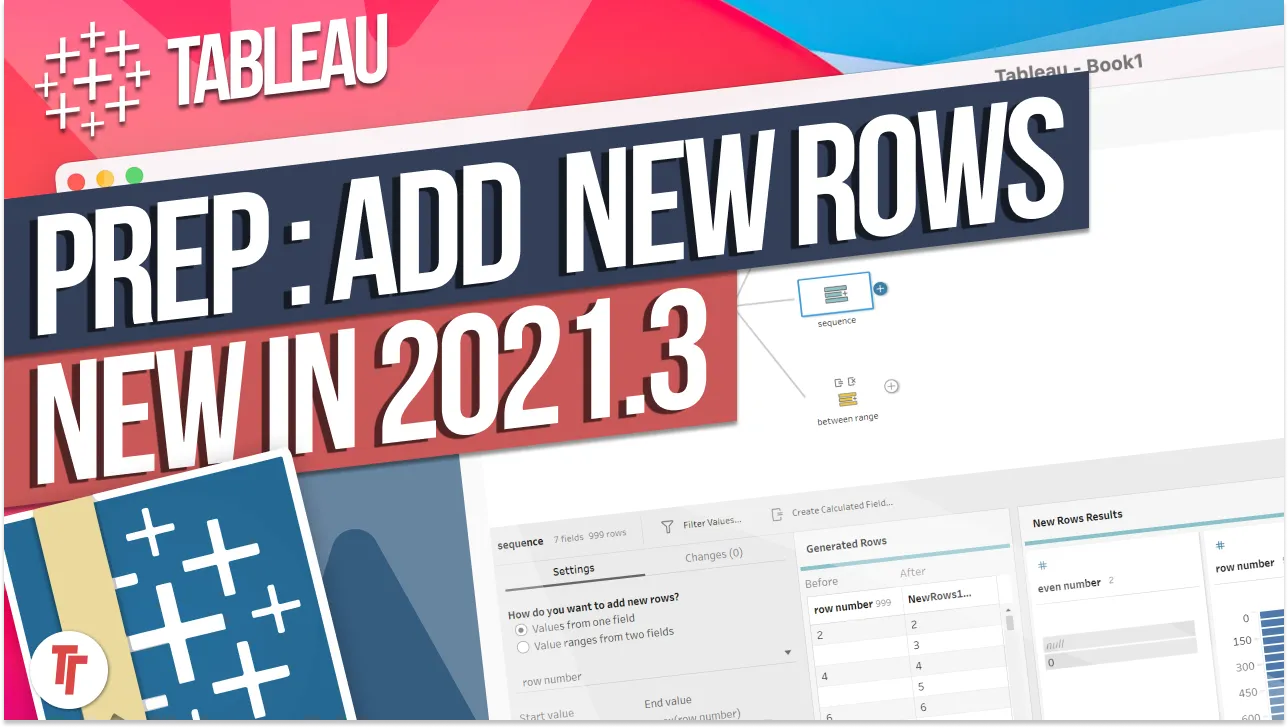
- Tableau Prep's new Generate Rows step has three modes (serial sequence, fill dates between min/max, and fill the gap for a single record), making date scaffolding for things like open-ticket snapshots far easier than the old union-and-running-total approach.
- Personal Spaces give every user a private area to create and move workbooks; admins can see space usage but not look inside the workbooks themselves.
- Web authoring keeps closing the gap with desktop via a new workbook formatting pane and advanced filtering, though formatting axis number units in the browser still isn't possible.
- You can pull up release-specific documentation by editing the help.tableau.com URL to swap 'current' for 'v2021.3'.
- Coming soon page overview0:00
- Prep Conductor linked tasks and generate rows2:40
- Data quality warnings and web authoring5:15
- Slack notifications and personal spaces6:27
- Explain data and custom sample workbooks8:12
- Data source renaming and spatial improvements10:42
- Connectivity and web authoring additions14:06
- Data freshness policy and mobile updates18:20
- Accessibility improvements23:05
- Finding the documentation24:25
- Demo: Generate rows in Prep28:06
- Demo: Personal spaces34:44
0:00Hey it's Tim here, Tableau 2021.3 is kind
0:03of out already. Really interestingly today
0:06Tableau
0:07updated the coming soon page. The coming
0:10soon page is normally released before the
0:13features
0:13are announced but essentially a couple of
0:16weeks ago, in fact two weeks ago, Tableau
0:18Online
0:19upgraded to the new features and there's
0:21sort of an acknowledgement of that on this
0:23page. You can
0:23see here that there's a notice for Tableau
0:25Online subscribers that they might already
0:27have some of
0:28the features listed on this page. So in
0:31some ways 21.3 is already here so I'm going
0:34to get stuck
0:35into it right away. I'm not going to hold
0:36back, we're going to make a video about
0:38what the features
0:38are. What I'm going to do is initially just
0:40go through the features, try and sort of
0:42talk through
0:43what's going on in this release and then
0:45there's actually some things I can already
0:46show you. So
0:47I'm just going to go ahead and do that in
0:49this video and then we'll do the usual drip
0:51feed of
0:51features as we sort of dig into them and do
0:53proper videos. But I've already had time to
0:55play with some
0:55of them through the pre-release program so
0:57we can just get stuck in because they're
0:59available on
0:59Tableau Online so you know why not. So here
1:02we are, it's a really interesting release.
1:05It's
1:05actually the first time I've seen Tableau
1:07acknowledge the fact that some of these
1:09features
1:10are already out there. It's kind of
1:12interesting, I used to really like the fun
1:14fair of just you know
1:15all the features dropping on one day and
1:17with Tableau Online recently it's actually
1:19become
1:19apparent that the upgrade goes live a
1:21little bit sooner. So actually if you're
1:23using Tableau Online
1:24you're already on some of these features.
1:25The only thing you probably wouldn't have
1:27had access to is
1:28the installer for Tableau Desktop. So if
1:30you're using web altering you've got
1:32probably all the
1:33features you need through that but of
1:35course if you're using desktop you won't
1:36have seen some of
1:37these new features pop up. So it's really
1:39sort of nice to see that Tableau are
1:41acknowledging that
1:42they just don't hold back, they just
1:44upgrade things as and when. But it can
1:46cause some instability
1:47sometimes, sometimes upgrades come with
1:49bugs and so having the documentation is
1:51super super handy
1:53when we're sort of looking through all this
1:54content. Now as I look through this page
1:56there's
1:57some really sort of nice sort of small
1:58features here that I think people are going
2:01to like.
2:01And there's also some features not listed
2:03on here, I'll show you how to find the
2:04other features that
2:05are not listed on this page, the sort of
2:06the panickety ones. This tends to be the
2:08sort of more
2:09nicely polished page. If you check out my
2:12video on how to stay up to date with new
2:14Tableau features
2:14you'll see that I actually went through the
2:16like seven different places that you can
2:18find out about
2:18what's new. So check that video out. So
2:21yeah like I said this is a pretty small
2:22release so let's
2:23just quickly go through this. We're just
2:25going to quickly go through this then we'll
2:27do sort of a
2:28deep dive. I've created timestamps across
2:30the bottom of this video so you can sort of
2:32follow
2:32along whether you want to do the quick
2:34summary or go straight to the feature,
2:35there'll be a
2:36timestamp for both of those. So check those
2:38out and get stuck in. Right the first one
2:40is linked
2:41task with Tableau Prep Conductor. Now it's
2:43really really apparent that Tableau are now
2:46piling
2:47features into the new license regime so if
2:49you're using Prep Conductor you're going to
2:51have to be on
2:52the new sort of licensing regime to be able
2:54to take advantage of this. But this is nice
2:57because
2:57you can essentially set one prep flow to
2:59you know run on an automated schedule and
3:02then have another
3:03prep flow run immediately after. Up until
3:05now what you've had to do is sort of set
3:07them on staggered
3:08sort of schedules or set them to run at the
3:10same time and hope that one runs before the
3:13other.
3:14But essentially it's never sort of been a
3:15sweet task. The benefit of having linked
3:18tasks is look
3:19if the first one doesn't run well then the
3:21second one isn't going to be sort of just
3:22running for no
3:23reason. So this is a really sort of nice
3:25thing to have. It would be also great to
3:27have this for
3:28extract refreshes. Imagine linked extract
3:30refreshes on Tableau Server this would be
3:32super super cool
3:33and it would allow us to do so many really
3:35cool things. But it's nice to see the
3:37thinking coming
3:38through in a new product in Tableau Prep
3:40Conductor. It'll be interesting to see how
3:43this works out. We
3:43can actually have a look at this a little
3:45later on Tableau Online so stick around for
3:47that if you're
3:48up for seeing how that works. Generate rows
3:50with Tableau Prep. I actually already
3:52posted something
3:52on twitter about this. This is super cool.
3:55Essentially it's got three modes. It can
3:57either
3:57work with serial numbers so you know one
4:00two three four five six seven eight nine
4:02ten and it will
4:03look at the data and essentially fill in
4:05the gaps where there is the series is sort
4:07of empty if that
4:08makes sense. So if let's say you have the
4:10number one to ten it will look at one and
4:12ten and it'll
4:13fill the gap in between and give you eight
4:15rows of data essentially in between those
4:17rows. The other
4:18mode works with dates exactly the same. It
4:20would look at two dates the min and the max
4:22or you can
4:23give it the starting point and finish point
4:25and then it will fill in all the missing
4:26dates in
4:27between those dates and then generate the
4:29rows. And then the last one is giving it
4:31two dates so
4:32giving it a start date and an end date for
4:34one particular record and so it will
4:36generate the
4:36rows for one record and fill in the gap for
4:39that particular record. So three really
4:41nice modes.
4:42Again we'll get stuck into that in a little
4:45while but again it's a nice sort of quality
4:47of life
4:48improvement because it makes data scaff
4:50olding for certain use cases much much
4:52easier. I actually
4:53managed to talk myself into a use case for
4:54the video for this feature that I've
4:56actually already
4:57done and check that out when it gets
4:58released next week but I'm actually going
5:00to do a really
5:01nice use case using support desk data so
5:03check that out when I actually get around
5:05to that at
5:06some point next week or the week after. But
5:08nonetheless it's a nice sort of quality of
5:10life
5:10improvement. We're going to check it out
5:12very soon so stick around if you want to
5:14see that.
5:14Data quality warnings and subscription
5:16emails. So we've had subscriptions sort of
5:18coming out now.
5:19This is sort of turning into a bread and
5:21butter capability of Tableau and now the
5:24data quality
5:24warnings are going to be embedded in those
5:26emails so you'll see some sort of update
5:29and if there's a
5:29problem with that update it will tell you
5:30so you know what you're looking at which is
5:32kind of again
5:32a nice a nice improvement and it's kind of
5:34to be expected these are sort of things
5:36that come from
5:37customers they don't just sort of come from
5:39nowhere. Inherited descriptions in web
5:41authoring. So
5:42this is sort of nice with the Tableau
5:44catalog you can now sort of see inherited
5:46descriptions right
5:47within web authoring so essentially what
5:49this means is when you start to work within
5:51web
5:51authoring you can see the descriptions that
5:53have been loaded into the Tableau catalog.
5:55Now
5:56it's interesting that this is only in web
5:58authoring and it's not in desktop it kind
5:59of
6:00suggests that the desktop experience isn't
6:02quite as well connected as we sort of think
6:05it is and
6:05so maybe they're still working sort of the
6:07the back end of that to try and make that
6:09sort of a
6:10little bit better or maybe this is a
6:12feature that will only ever stay in web
6:13authoring and what we're
6:15really seeing here is a real sort of sort
6:17of transition to web authoring. So we never
6:21know
6:21about these things we can only speculate
6:23but it'd be interesting to see where that
6:24goes. Really cool
6:26Tableau notifications in Slack. This
6:28actually got announced like a couple of
6:30weeks ago but it wasn't
6:31possible to sort of set this all up so I've
6:33actually set up a Slack account we're going
6:35to
6:35be setting these up and seeing how our
6:37notifications come from Tableau online over
6:40into Slack. Another
6:41thing I'm going to be doing is I'm actually
6:43going to be setting up a Tableau server
6:44that I'm going
6:44to be using throughout this whole entire
6:47sort of year coming up and we're going to
6:49have lots of
6:50videos and lots of content on Tableau
6:51server as well. I just sort of decided to
6:53bite the bullet
6:54and go in there and get hold of Tableau
6:56server. I'm sort of trying to navigate how
6:59to get hold
6:59of a license key though so I'm trying to
7:01figure out a pragmatic way of doing that
7:03and I'm sort of
7:04thinking of the best option might just be
7:06to buy one so that I get a proper sort of
7:08genuine
7:09experience of what's that like what that is
7:12like and also a seat in terms of creator
7:15explorer and
7:16viewer so one of each and then also look at
7:18some of the Tableau e-learning licenses
7:20that get sort
7:21of bundled in with that and sort of go
7:22through that experience and talk a bit more
7:24about how
7:24that works because I realize for many
7:26people buying Tableau is not something you
7:28may be
7:29familiar with so once you start to
7:30understand that process that might be a
7:31good perspective to see. So
7:33Tableau notifications in Slack we're going
7:36to check it out and be interesting to see
7:38how sort
7:39of that works. Personal spaces now this is
7:41pretty cool I'm going to dive into this
7:43again in Tableau
7:44online you might have seen this already if
7:46you're using Tableau online just pop up on
7:47the left hand
7:48side this is a great place for starting to
7:50save your own content you can move content
7:52into your
7:52personal space it's entirely private to you
7:54so no one else can really see what's going
7:56on. Admins
7:57can see how much space is being taken up
7:59they can see the content but I don't
8:01believe that they can
8:02see the actual workbooks themselves so we
8:04'll do a little bit of a test we'll log in
8:06and log out
8:06and make sure that that all looks good.
8:09Okay so let's close this and go to the next
8:11one.
8:11Explain data improvements since expanding
8:14explain data to viewers on Tableau server
8:16and Tableau
8:16online we've continued to improve the
8:18experience by refining permissions and
8:20explanation types.
8:22Site administrators now have the
8:23flexibility to choose when to enable or
8:25disable explain data
8:26features on their site. So in the first
8:29release of this feature the author
8:31basically had the ability
8:33to set whether explain data was available
8:36to the user or not this is adding something
8:38to that which
8:39is essentially giving the admin the ability
8:41at a site level to say look explain data is
8:44enabled or
8:44it's not enabled on this particular feature
8:46. That's good for site admin controls
8:48especially
8:48if you're using sort of Tableau sites as
8:51this ability to sort of test things you
8:54might have
8:55for example explain data enabled on one
8:57site which is like your dev site as it were
8:59and then have it
9:00disabled on your production site. Give
9:02authors the ability to really get sort of
9:05grips and see if
9:06this is useful give potential testers the
9:08ability to see what they can get from it
9:10then really
9:11refine what you have selected and what you
9:13have enabled so this allows you to sort of
9:15create that
9:15split personality between the two
9:17environments and then people can start to
9:19sort of get to know
9:20this a little bit more but nonetheless
9:22again it's a small improvement but it's
9:23always welcome when
9:24admins get a little bit more control on the
9:27server. Custom sample workbooks in desktop
9:30now this is
9:30this is so uh man this is so good um over
9:33here in the bottom when you open up Tableau
9:35along the
9:36bottom of the view you always get some
9:38sample workbooks and you're now going to be
9:40able to have
9:40custom sample workbooks this is this is so
9:43important for you know culture within
9:46organizations
9:46maybe you have a dashboard template maybe
9:48you have some best practice dashboards that
9:51you'd like to
9:51circulate across your organization imagine
9:54opening up Tableau and having a starter
9:56workbook in there
9:57that goes through the Tableau culture or
9:59the Tableau enterprise setup in your
10:01organization
10:02through the product of Tableau you could
10:04even have videos embedded in that workbook
10:06that guide you
10:07through where to find things how to get
10:09started how to set everything up even sort
10:11of tutorials
10:12sort of all built into that workbook and
10:13then have that embedded here and sort of
10:15get that working so
10:17it's going to be super cool to see what
10:18people do with this i'm sure this is going
10:20to be a great
10:20sort of surface for lots of creativity and
10:22just allowing people to start to customize
10:24the product
10:25so it suits them you could already
10:27customize this right-hand side pane with a
10:29web page so you can
10:30could already do this i haven't seen this
10:32happen too much but you could already do
10:34this and so
10:35now you've kind of got this ability to
10:36control the right-hand side and the bottom
10:38pane in a much much
10:40easier way so that's really cool to see and
10:42the next one rename published data sources
10:44so this one
10:46um this is specifically i think from Table
10:48au server and Tableau online you can
10:50actually go in there
10:51and rename published data sources once they
10:53're published i believe you used to only be
10:54able to
10:55do this by publishing them and essentially
10:57overwriting them and then deleting the old
10:59one
11:00essentially but now you can rename them
11:01which means you know when things need to
11:03change you
11:04can kind of sort of tidy things up and it's
11:05a lot lot better to use the nice thing
11:07about this is that
11:08this name change won't break workbook so
11:10essentially this is not surprising because
11:12essentially all
11:13data sources and workbooks in Postgres work
11:16on the basis of an id number so everything
11:18has always
11:19worked using id numbers in the back end so
11:21really changing the name would not have
11:23broken any sort
11:24of relationship between the two things a
11:26workbook or published data source so just
11:28having the sort
11:29of cosmetic name carry all the way through
11:31the entire sort of infrastructure is a
11:33really sort
11:34of nice addition there's a couple more
11:36spatial improvements here previously when
11:38you did spatial
11:39joins you could only do them between
11:41certain types and now they're expanding the
11:43sort of different
11:44combinations that you can do so you've got
11:47a polygon line polygon and polygon line and
11:50line
11:50to allow for more complete and advanced
11:53analysis of your data in this example a
11:55line line spatial
11:56join is being used to intersect one data
11:59set that contains major california highway
12:01networks as
12:02lines and the other data that contains
12:04false lines also lines this helps us
12:06understand which
12:07highway networks are particularly
12:09susceptible to seismic activities so the
12:12way this is working is
12:13you take two spatial objects let's say you
12:16have a river and a road okay and it's
12:18basically taking
12:19the two spatial objects and when you do a
12:21spatial join what it's actually seeing is
12:23look do these two
12:24spatial objects over over overlap in that
12:27sense and if they overlap it keeps both of
12:30them available
12:31in the data set then you can visualize them
12:33so if you sort of look at this example here
12:35you can see
12:36that the fault lines i think are in red
12:38they i'm the reason i'm assuming the fault
12:41lines are in
12:42red because they tend to follow this sort
12:44of path along the along the coast and they
12:46sort of curve
12:47all the way around and then the blue lines
12:49to me seem like they're roads because they
12:51're sort of
12:52following more sort of jaggedy lines and
12:54they seem to go around uh you know roads
12:57tend to avoid
12:58places of high mountainous regions so they
13:00tend to go around them as much as possible
13:02so that's
13:02why there's probably a gap there um and
13:04there's sort of lots of roads around around
13:06the coastal
13:07side here so that's why i'm thinking they
13:09're like that but i might be completely
13:10wrong
13:11um once we sort of get hold of the product
13:13we can try this for ourselves and we can
13:14see what's going
13:15on uh we've got another spatial um uh
13:18feature here to enable even more users to
13:20perform spatial
13:21analysis in tableau we've added more wkt
13:25and geojason support to tableau easily
13:28translate
13:29wkt and geojason text markup found in excel
13:32and csv data sources directly into usable
13:36spatial
13:36geometry in tableau that's a strange one i
13:38'll have to read the documentation for that
13:40because i have
13:41no idea what that means um man spatial file
13:44types just they're just so many i just i'm
13:47always amazed
13:48like they have first of all you have tons
13:50of different spatial file types then you
13:52have tons
13:53of coordinate systems and it's just so much
13:55going on with spatial data i always find it
13:57amazing but
13:58then again you know the world's a complex
13:59place they're going to come up with lots of
14:01different
14:01ways of mapping the world and so that's to
14:04be expected i guess iso 8601 calendar
14:06support
14:07improvements so we're expanding iso 8601
14:10support to more and more databases so this
14:12was actually
14:13something that was added in the past and i
14:14believe all that's happening here is that
14:16we've added
14:17support for the db2 connector essentially
14:19the db2 is a type of database i think and
14:21this is now
14:22going to be supported in that so that's
14:24good to see our web altering improvements
14:25man web altering
14:26keeps picking up new workbook formatting
14:28pane with a new workbook formatting pane
14:31you can now have the
14:32ability to format your visualizations and
14:34dashboards while altering on the web now we
14:37're
14:37going to check this out later in this video
14:39because this this has to be seen this is
14:41one of the biggest
14:42blockers to finishing a workbook on tableau
14:45server so and tableau online as well so you
14:48know this if
14:48this is actually picking up pace and i can
14:51right click something and format it and i
14:53can get most
14:54of the way there you might even start to
14:56see people editing workbooks at least on
14:58tableau
14:59online and tableau server rather than
15:01having to download them using the connected
15:03experience or
15:04the old way of just downloading it and sort
15:06of getting it working drag to reorder
15:08single legends
15:09so the new drag to reorder legends feature
15:11enables you to reorder single legends while
15:13in an altering
15:13mode that's pretty cool i think that's
15:15probably more of a user interaction thing
15:17through web
15:17altering it's it sounds to me like web
15:20altering is also sort of taking advantage
15:22of the format
15:23or the web so it's maybe going to get
15:25features that we won't ever see in desktop
15:27just because of
15:27the the way the web works so we'll be able
15:30to sort of see how that works new browser
15:32formula
15:33authoring capabilities you can solve data
15:35problems with even most let's start again
15:38you can solve
15:39data problems with even the most advanced
15:41filtering requirements from web authoring
15:43from your own
15:44formulas so that's interesting are we going
15:45to have to play with that and really
15:47understand what
15:47that means i'll go through the
15:49documentation when we get into that in a
15:50second and we'll kind of see
15:51what that actually means so so qr
15:54relationship queries so i'm connecting to
15:57salesforce a data
15:59using custom soql you can now access
16:01multiple objects at once using soql
16:03relationship queries
16:05easily pull fields from multiple objects in
16:08a single query this is cool um when you
16:10connect
16:10to salesforce data you can okay so this is
16:12cool you can actually connect to salesforce
16:14directly
16:15and essentially use salesforce sql i think
16:18that's what that actually is soql i've
16:20never i've never
16:21heard of that in my life i just read it as
16:23if i had but i have no clue so let's go and
16:25check it out
16:26sql so s salesforce object query language
16:29okay is the language used to query data
16:31from your salesforce
16:32organization so it sounds like a salesforce
16:35specific um sql and i'm not surprised that
16:37we have
16:37this now because essentially of course it's
16:40like salesforce and stablize so tablo
16:42better support
16:43all the capabilities that salesforce has to
16:45offer new ways to connect to google big big
16:48query use
16:48google cloud services accounts to securely
16:51create and manage your connections to big
16:53google big
16:54query at scale so i think this is
16:56essentially the capability to um to uh i'm
17:00not actually sure i
17:02know what this means actually i thought i i
17:04thought i thought i was i thought i knew
17:06what
17:06this meant so google cloud service accounts
17:08to securely create and manage your
17:10connections
17:10to google big query at scale what i don't
17:13understand about this is why are they
17:15showing
17:15a saved credential option over here so to
17:19me um i thought this was going to be about
17:22using your
17:22google credentials to log into google big
17:24query but it looks like it's slightly
17:26different because
17:28it looks like what you can do is you can
17:29export credentials through some sort of
17:31json file
17:32and upload them and not have to go through
17:34the whole pane of setting them up but
17:36potentially you
17:37get that file from google big query i'm
17:39assuming that might be what it is but um
17:41purely speculating
17:42we can have a go at that at some point um i
17:45don't tend to have the ability to try out
17:47lots of data
17:48sources because essentially there's just so
17:50many data sources and it takes such a long
17:52time to
17:52get everything set up then have the
17:54knowledge to actually really fully utilize
17:56them so unless it's
17:57something like snowflake or sql server or
17:59something very obvious that you know most
18:01people have used
18:02it's not very easy thing to sort of demo
18:04and get into so maybe at some point in the
18:06future who
18:07knows uh what will be a little bit bigger
18:09and we'll be able to sort of spin up um
18:11some some
18:12sort of space on aws to try out these
18:14things from time to time as long as there's
18:16enough sort of
18:17interest for it let me know in the comments
18:19so um data freshness policy control the age
18:22of data shown
18:22to workbook viewers by setting a freshness
18:25policy that will not load any cache data
18:27older than a set
18:28policy this is very aws thinking imagine in
18:31aws you have these policies that
18:34essentially dictate
18:35how old certain things can be before they
18:38get moved around in amazon s3 you have
18:40these sort
18:41of policies and rules that migrate content
18:43from one tier to another tier based on how
18:46long they've
18:46been there you've got something called
18:48intelligent tiering which moves these
18:50things around and we're
18:51kind of getting this sort of thinking here
18:53so you can set a policy for specific data
18:56sources and for
18:57those data sources that you know really
18:58really matter you can you can say that look
19:00the data
19:01needs to be this fresh and essentially
19:03tableau will sort of adhere to that policy
19:05before there
19:06was like a global wide sort of setting and
19:08essentially used to be sometimes a guessing
19:10game
19:11whether you were looking at cache data or
19:13not and because there's so many points at
19:14which you can
19:15generate cache and tableau server it
19:17actually just becomes really difficult to
19:19diagnose whether what
19:20you're looking at is cache or whether you
19:22're looking at is live by the time you've
19:23diagnosed
19:24it you know the goalposts have sort of
19:25moved and the data's changed and so it was
19:27a really sort of
19:28annoying thing to sort of diagnose with
19:30customers a lot of time and support desk
19:32just to find out
19:33that it was a caching issue um but now with
19:35these policies i think maybe there's a
19:37little bit more
19:38transparency because there's now somewhere
19:39where someone can set something and they
19:41can have some
19:42sort of expectation about what to what to
19:43get from it so this is going to be nice um
19:47easily choose
19:47from multiple policy options to ensure that
19:49workbooks with live data sources never have
19:51unexpectedly stale data so that's really
19:54cool tableau mobile uh unified notification
19:57of the
19:57mobile and then enjoy and improve
19:59unification experience on tableau mobile
20:01simply navigate to
20:02new notifications in tab in the app shares
20:04comments extracts so this feels like an
20:07update to the
20:08unified experience we got on tableau server
20:11two versions ago but now in mobile so
20:13essentially
20:13mobile's catching up with all the other
20:16sort of platforms um man who still uses
20:18blackberry honestly
20:20like who is still using blackberry if you
20:23're a ceo stuck on a blackberry i'd love to
20:26know why are you
20:27still using blackberry um tableau mobile
20:30for blackberry and airwatch uh android i
20:32think
20:33blackberry actually uses android i think i
20:35think this is actually what's this is what
20:36's going on so
20:37if i just search blackberry i think black
20:40berry basically ditched their operating
20:42system
20:43and started using android our device has
20:46changed uh where we work our security is
20:49changing how we
20:49work okay uh sure um that's uh research and
20:52motion rim used to be the company that uh
20:56sort of owned
20:56blackberry so let's they don't even have
20:59phones here anymore wow um they're just a
21:01security
21:02business what happened to the blackberry
21:04sort of phone brand oh my word this is this
21:06is a bit of a
21:07tangent so blackberry mobile phones let's
21:11see what's going on here uh secure devices
21:16blackberry
21:16i love how they're selling that under the
21:19secure devices banner never mind but it is
21:21powered by
21:21android as i thought so it's technically an
21:24android operating system no longer a black
21:26berry
21:26operating system but man they still have
21:28they still have the phones with the four
21:30keyboards
21:30out there and yeah i bet you someone out
21:32there is loving it and yeah i mean i miss
21:35my blackberry i
21:35used to love that thing but i think things
21:38have moved on since so tablo mobile for
21:40blackberry
21:41and airwatch is a new app that provides a
21:43quick and secure way to view analyze and
21:45leverage the
21:45data in your organization the new app
21:48includes a newer design that is faster and
21:50more intuitive
21:52and improved search and browser experience
21:53consistent with tablo server and tablo
21:55online
21:56and enhanced offline capabilities that are
21:58quick to load and offer richness and
21:59interactivity
22:00visualizations this is interesting i don't
22:03know i didn't i always had the impression
22:05that tablo
22:05mobile for android um was uh one app and so
22:09i thought they were just deploying tablo
22:12mobile
22:13for each of these platforms um using
22:15android but maybe i'm wrong maybe there's
22:18actually something
22:19more about that so let's just search air
22:22watch android and see what's going on here
22:25setting up
22:25android devices in airwatch airwatch is an
22:28mdm um mobile device management system uh i
22:32can i think
22:32i figured that much out um uh but i i don't
22:36know it's an interesting one i don't know i
22:41don't
22:41understand why if it's an android based if
22:44it's an android based uh system why it
22:46needs a separate
22:48um it looks it almost sounds like they've
22:51just introduced it so i'm gonna have to
22:53check that out
22:53i think it might just be support for the um
22:56mdm services in blackberry and in airwatch
22:59i think
23:00that's what's actually going on here um but
23:02nevertheless we need to find that out
23:04accessibility
23:05this shouldn't be last this is but we
23:07should be this should be one of the first
23:08things that
23:09tablo talks about but nevertheless
23:11accessibility for dashboard navigation
23:13provides a more consistent
23:14intuitive tab order improving the keyboard
23:16navigation experience for everyone who uses
23:19their keyboard to navigate dashboards so
23:21sometimes when you hit tab and tablo it
23:24kind of skips through
23:24specific things and if you're using a text
23:27reader because you have maybe visual
23:28impairment and
23:29therefore you have something that's reading
23:32out the interface to you when you hit tab
23:34it used to
23:34sometimes go in a really bizarre order it
23:36didn't sort of make sense on screen as you
23:38literally
23:38watched it happen if you if you could see
23:40the screen and so i think this is nice to
23:42see
23:42additionally the full drag and drop
23:44capabilities provide customers with more
23:46control and flexibility
23:47when building dashboards so this is cool um
23:50i'd love to see exactly what sort of they
23:53mean by
23:53this sometimes these these things are like
23:55multiple features merged into one so it's
23:57always sort of
23:57interesting to see how that goes okay so um
24:00that's pretty cool um this is sort of the
24:03whole rundown
24:04of the features now what we're going to do
24:05is start playing around with some of these
24:07i can't
24:07go through all of them because i don't have
24:09access to absolutely everything that some
24:11of this stuff
24:11needs time to set up and the videos i do
24:13tend to be a little bit more polished than
24:15just me going
24:16through them on screen and bumbling right
24:18through them so next week i'll obviously do
24:20the proper
24:20videos for this so stick around for that
24:22but nonetheless we're going to get stuck
24:24into some
24:24of these um i'll start with generate rows
24:26for tableau prep because i think this is
24:28really really
24:29cool before i show you that i just want to
24:31show you something else the documentation
24:33for this is
24:33also already available let me show you how
24:36to get hold of it okay so i just cut
24:38straight through to
24:39this web page essentially um when tab
24:41online launched um some of the menu items
24:44in tab online
24:45started referring to that release of table
24:47au online because it's 2021.3 so what you
24:50can
24:50sometimes do is guess the url for the
24:52release and if you go to help.tableau.com
24:55and you type in v
24:572021.3 then whatever version of the product
25:00you're looking at in this case i'm looking
25:02at desktop
25:03you'd actually get the up-to-date
25:05documentation for this current release
25:07because of course what
25:08happens over time is the sections that need
25:10updating get updated and the new features
25:13get
25:13updated onto this page so it's essentially
25:16just like a live cms it's constantly
25:17updating so if
25:18i click on what's new here you actually get
25:20another rundown of all the features that
25:23are
25:23actually available in this release i think
25:25all the key features are actually on this
25:27page even
25:27though this is the desktop page there is
25:29typically another page for server but if i
25:31go back to uh
25:33this one here and i go to um i think
25:35sometimes what you have to do is actually
25:38go go to this
25:39one and then if you link through sometimes
25:42it also links through to other aspects of
25:44the product so
25:45if for example we look at the data fresh
25:48ness items so a tableau desktop features new
25:51and
25:51tableau online and server use the same
25:54action dialogue across you see some of
25:56these some of
25:56these are not unique some of these are are
25:59actually altering experiences in desktop
26:02and
26:02online and server but they're not actually
26:05the features i want so let me open up a new
26:07help page
26:08and i'll just show you how how guessing the
26:10urls work so what you do is you go to one
26:12of the versions
26:12of tableau server i tend to go to the linux
26:15one and just hit the html page and then
26:17what you can
26:18do is if you just uh grab v 2021.3 and just
26:21copy that and then you just want to replace
26:24the exact
26:25same uh part of the menu system here so it
26:28says current hit paste and just hit enter
26:31and boom it
26:32loads up the 2021.3 documentation so now
26:35that we're here um has a bit of a planning
26:38guide which is
26:39good and what we can do is we can click on
26:41this option here which says what's new so
26:43you can see
26:44that this is the server updated page for
26:46what's new in 2021.3 it's not as nice as
26:49desktop because
26:50of course there's slightly less features so
26:52you can go through this a lot quickly but
26:55you can sort
26:55of see a summary here on the right hand
26:56side of the key features that you can sort
26:58of touch on so
26:59again we'll sort of maybe just have a quick
27:01look at this a little later on and one
27:03thing i do need
27:03to do is i need to start doing more videos
27:05on server it's the number one bit of
27:07feedback that
27:07i keep getting from people um generally i
27:10think i'm going to start making videos
27:12about more
27:13products that i work with every single day
27:15i don't just work with tableau tableau is
27:17like you know
27:1880 to 70 percent of the sort of surface
27:20that i touch the rest is pretty much
27:22enabled by other
27:23tools tableau prepped altrix um five trans
27:27snowflake um i don't do as much aws as i
27:30should do
27:31but i have a bit of sort of expertise there
27:33and knowledge that i can sort of share here
27:35so
27:35i'll try and do as much of that going
27:37forward as i possibly can i sort of hear
27:39the feedback on that
27:39particular point so it's definitely
27:42something we're going to focus on i'm also
27:44doing um my
27:45server certification again at some point
27:47next year early next year so we're going to
27:49have to go
27:49through that content anyway so we might as
27:51well sort of share that knowledge as we go
27:52through it
27:53nevertheless um let's go through this list
27:56so replace tableau sample workbooks with
27:58some
27:58customer sample workbooks this is more or
28:00less the same list of stuff it's a little
28:02bit more precise
28:03so what i'm actually going to do is i'm
28:04just going to switch over to tableau prep
28:06and let's look at
28:07some new rose functionality that's
28:09available there okay so we're here in
28:12windows i've actually had to
28:13switch over for some some bizarre reason i
28:16'm not going to go into this i need i i'm
28:18just having a
28:18bad time with tableau prep on the mac so i
28:21've just i've just given up trying to make
28:23it work and i'm
28:24just going to use it on windows through a
28:26virtualized environment for now um so here
28:28i am in tableau 2021.3
28:30i've got a copy of it installed on the
28:32machine so i'm opening up a workflow that i
28:35've actually got
28:36set up already that i'm just playing around
28:38with just to sort of see how the new rose
28:40function works
28:41and in essence um this is this is sort of
28:44um it's just sort of really interesting so
28:47let's let's
28:48let's just have a look at this um my data
28:50source here is slightly missing so let's go
28:52ahead and
28:53make sure this is working correctly and
28:55here we go so we've got a data set that we
28:57can look at
28:58now i apologize that this screen isn't as
29:00sharp as it should be um essentially i'm
29:03virtualizing
29:03windows so it's going to be a little bit
29:05more fuzzy than than i'd like it to be but
29:08nonetheless
29:08at least we at least we've got it working
29:10and this is this is sort of a passable
29:12experience um so
29:13over here we've got the customer data
29:15essentially this was mock data that i
29:17generated from mokaru
29:18and i've done something silly here which is
29:20i've unioned them just to sort of try and
29:22enable
29:22something for the next step but essentially
29:24these are the three modes i was talking
29:26about if we just
29:26kind of zoom in here we can get a better
29:29look at this so here we've got dates we've
29:32got sequence
29:33and we've got the fill gap between dates so
29:35if we look at this first one essentially it
29:37's a really
29:38sort of nice implementation i'll do this in
29:40a lot more depth um each of these options i
29:43think has
29:43been really well thought through what i
29:45really like about tableau prep is they
29:47remove complexity
29:49from the feature something that should be
29:51complex is made pleasantly simple and it's
29:54not sort of
29:54over engineered there is more that these
29:56features can do of course there is but it's
29:58just got the
29:59right level of engineering i think to
30:01really make it a you know a great
30:03experience for most people
30:04and that's sort of a really important point
30:06what experience is going to lead to the
30:08most people
30:08getting the most out of this not
30:10necessarily like the swiss army knife
30:11approach that you sometimes
30:13get with altrix where you've just got like
30:15hundreds of capabilities and features and
30:17sort
30:17of nooks and crannies and that's because
30:19you know altrix is a much much more mature
30:21product
30:21tableau prep will eventually have to
30:23support these things um but the sort of
30:25nice thing about prep at
30:26the moment at least is that it's not clut
30:28tered and it's sort of not too busy so it's
30:30really cool um
30:31it's really nice seeing these features so
30:33here we've got dates and you can see that
30:35essentially
30:35what's happened here is that i've selected
30:38a start date and an end date and i had a
30:41small issue here
30:42where it wasn't it wasn't actually
30:44observing um the dates that i was giving it
30:46if i sort of jumped
30:47to a different date so i'll just leave this
30:49as standard i think it might just be a side
30:50effect
30:51of the beta version that i have here but
30:53essentially you can give it a start value
30:55and an
30:55end value and you can also use a min and
30:57max and it will automatically go and find
30:59the max min and
31:00max values from the data set so two really
31:02cool options and of course if you're
31:03working with dates
31:04you get the nice date slider here and you
31:07can of course go around and sort of just
31:08change that
31:09around um you can tell it to update the
31:11existing field or change it to create a new
31:14field so if you
31:15need to keep the existing field for some
31:17reason and you want to create a duplicate
31:19field that's
31:19also available and yeah this is really nice
31:22you can even choose the increments weeks
31:24months days
31:25and you can change the number as well and
31:26it's going to sort of miss every day or go
31:28every other
31:29day whatever you really choose it does a
31:31really nice job of just making that step a
31:33little bit
31:34easier and then of course you have the
31:35ability to choose what it does with the
31:37gaps that it's
31:38creating so nulls null zero or copy from
31:41previous row so if i sort of move this up
31:43you can kind of
31:44see the net effect here where you get lots
31:46of nulls sort of being played out here
31:48because
31:49essentially they've been created from the
31:51record and sort of padding the data out so
31:53if you need
31:54to pad data out in this way this is going
31:55to be such a great quality of life
31:57improvement especially
31:58if you're working in web authoring imagine
32:00being able just to quickly spin this up
32:02through the
32:02browser update a data source with the you
32:05know relevant bits that you need and then
32:07off you go
32:07um the best use case i can think of this
32:09actually is um these this date range so
32:13this particular one
32:13this this is an absolute lifesaver because
32:15when you're working with support desk data
32:17one of the
32:18things you're always trying to do is
32:20visualize at any given point any given day
32:22how many open
32:23tickets do you have and so what this lets
32:25you do is essentially lets you use all the
32:27different dates
32:28from a support ticket and essentially pad
32:30out the days in between them and those days
32:32in between are
32:33essentially the days when the ticket is
32:35open or when it's in a certain status and
32:37if you can pad
32:38out between all these different dates what
32:40you essentially then get is um one
32:42particular ticket
32:43might have 700 rows if it was open for 700
32:46days but you can then filter to one
32:48canonical day and
32:49take a snapshot of what the ticket count
32:51was on that day because you've been able to
32:53pad it out
32:54before this what you had to do is union the
32:57data on itself so you'd have to take a
32:59snapshot of the
32:59data and then say look on this date this is
33:02when this was open on this date this is
33:04when this was
33:05open then you'd have to do a running total
33:07from the beginning of time which would
33:09persist the
33:10number one over the extent of the data and
33:12so to get an accurate number for any given
33:15day you have
33:15to persist sort of this full historical
33:17perspective of the data with this in
33:19combination with the data
33:21model you can even factor in things like
33:23bank holidays and count how many working
33:25days has a
33:26ticket been open for without even having to
33:28do any unions or sql to get everything set
33:30up so
33:31that's actually the use case i'm going to
33:32go through at some point in the future it's
33:34going
33:34to be a really really nice sort of thing to
33:36do um but it's a really sort of uh nice
33:38implementation
33:39i really like it i'm not going to sort of
33:41spoil spoil it too much um the sequence one
33:44also works
33:44in sort of lots of different ways you can
33:46see here that what i did is i removed every
33:48other number
33:48and i'm just filling through the sequence
33:50essentially and again the controls are
33:52really
33:53well thought through there's nothing so
33:55complex about it it's very simple and it
33:57kind of behaves
33:57like a clean step because you can still do
33:59steps uh changes that are related to the
34:02steps so you
34:02can remove fields and add calculated fields
34:05so if in this step you need to do something
34:07that makes
34:07sense in this particular step you can do it
34:10as well so so this is a really cool feature
34:12i love
34:13that everything sort of happens here within
34:15one step and i like that you can even sort
34:17of change
34:17the order of these two things around and
34:19get things working so that's that's the
34:20prep new
34:21rows again i'm not going to sort of murder
34:23this too much we'll do a proper video
34:24explaining how
34:25it works and that will be really sort of uh
34:28good to see so this is nice to see um if i
34:30sort of
34:31minimize this and we go back to the list
34:33and see what else we can uh have a look at
34:35so let's go to
34:36the coming soon page we've looked at prep
34:39generate rows data quality warnings
34:41subscription emails
34:42um let's look at personal spaces because i
34:44think that is something very cool so let me
34:46log into my
34:46tabla online instance here i think i'm
34:48already logged in or should sort of send me
34:50straight in
34:51here we go so let's go straight in and um
34:54what is really cool about this is um
34:56obviously tabla
34:58online has already updated so if i go in
35:00here and i look at about tabla online you
35:02can see that it's
35:03running 21.3 and so some of you might have
35:06noticed on tabla online that you have this
35:09feature here
35:09called personal spaces and you would have
35:11clicked on it and you would have gone in
35:13and just sort of
35:14found a tabla telling you that hey this is
35:16the place where you can create your own
35:17content
35:18and so this is really cool essentially
35:20everyone's been given the ability to create
35:22content in this
35:23space and it's only visible to you so you
35:25're the only one who has access to this
35:27admins can see
35:27how much space you're taking up they can
35:29see what workbook is in there but i don't
35:31believe they can
35:32look inside of the workbooks i think there
35:34's some sort of clever design there um it's
35:36a little bit
35:37odd because um admins have always had got
35:39access to a lot of content on on um on tab
35:42la servers so
35:43it's always been sort of like a an
35:45interesting one um and i think what they've
35:47been doing is they've
35:47been adding um capabilities so i think in
35:50the future it will be possible as an as an
35:52admin to
35:53be an admin but not get sort of intricate
35:55access to data sources that maybe are
35:56sensitive for
35:57example that contain your pay or something
36:00like that so um in essence this is really
36:03cool so let
36:03me show you how it works i've got the super
36:05store workbook here if i go to the super
36:07store workbook
36:08you'll see that it loads up the superstore
36:10as expected but if i go to the three dots i
36:12've also
36:12got the option to move content from
36:15anywhere on the server to my personal space
36:18so this is really
36:19really nice to see you can see that you can
36:21move the content across and so now when i
36:23select that
36:24and we just click on it and say move
36:26content and then move content again then uh
36:29essentially it
36:30moves this out of the public space into the
36:32private space now you can see that it's in
36:34my personal
36:35space and so now if i go into it you'll see
36:37that i have that workbook you can also
36:39start content
36:40here so at the moment you can only create
36:42workbooks i'd love to see this also for
36:44prep
36:44flows and some other content that's sort of
36:47uh available on tableau online i'm an admin
36:49here so
36:50i should be able to create any content that
36:52i want to create so i'm sure it's coming i
36:53'm sure they're
36:54going to make this a much much nice
36:56experience i also think tableau is
36:58definitely very soon going
36:59to break away from this grid layout this
37:01grid layout is great for content but it's
37:03not great
37:04for some of these more interesting areas
37:06specifically this uh group of icons here so
37:09personal space is
37:10collections and explore currently all use
37:12the grid system but nonetheless they don't
37:14that they don't
37:15really this is not the best um setup for
37:17them so there's a much much better layout
37:19that i think you
37:20can achieve so be interesting to see how
37:22that evolves over time so this is really
37:24cool again
37:25we'll dive into this and some of the
37:26details and specifics once we've kind of
37:28gone through
37:28the documentation and we know more about
37:30what's going on let's go back to this list
37:32what else can
37:33we have a look at explain data improvements
37:36um that needs just sort of a demo example
37:39so that's
37:40sort of an obvious one it sort of self
37:41describes itself um there's a few other web
37:44watering
37:44improvements so they're talking a bit about
37:46the formatting pane so let's go have and
37:48see let's
37:48go see if we can sort of uh explore this a
37:50little bit so what i'll do is i'll go into
37:52that superstore
37:53workbook and uh let's have a look at what
37:56this actually means let's let's give
37:58ourselves as much
37:59space on the screen as we possibly can and
38:02here we are we've got a uh sort of an
38:04editing interface now
38:06one thing i've noticed this is definitely
38:08crisper it loaded a lot quicker it was a
38:11lot sharper and
38:12it again we're getting more and more of
38:14these sort of elements over here on the
38:16left hand side now
38:17one of the features it was talking about is
38:19the ability to move things around inside of
38:21this
38:22layer yeah look at that so you can actually
38:24drag and drop these things now inside so
38:26you can move
38:26things in and out of the hierarchy so this
38:29is new in in uh 2021.3 um if you've got a
38:33bunch of things
38:34inside of a hierarchy let's say we uh can
38:36we move this out we can't it's sort of
38:39frustrating here we
38:40go there it is there it is so if we go into
38:42this tree uh and we go into this vertical
38:45item maybe
38:46here yeah we go so what we can do is for
38:48example we can move these around and it
38:50swaps the uh two
38:51charts around so this is cells by segment
38:53and cells by product on the bottom and we
38:55can just
38:56swap those two around by switching them
38:58here on the left hand side so that's cool
38:59to see in
39:00web altering now um one time sometimes what
39:02we want to do i always right click the axis
39:05and i just
39:06this is the one thing i'm always like come
39:08on man i need to be able to do this in web
39:10edit so that i
39:10don't have to download the workbook if i
39:12edit the axis there's no option to sort of
39:14format it which
39:15is annoying so let's try a couple of other
39:17things because sometimes right click is
39:19sort of hogged
39:20uh by the uh you know browser so you can't
39:23do as much as you want so what i'll do is i
39:25click on
39:26that and then i'll go to formatting and
39:28then i'll go to uh workbook formatting and
39:30just see okay
39:31what is going on here we do get it over
39:33here on the right hand side so this is this
39:35is a little
39:36bit better but what i'm really looking for
39:38is the formatting options for this sheet so
39:40let's go into
39:41the sheet because i still can't find what i
39:43'm looking for and let's see if i can do
39:44anything
39:45here so if i uh format yeah here we go
39:47format worksheet and okay okay this is what
39:50we're talking
39:51about we're starting to get this is
39:54starting to sort of uh catch up to what we
39:56expect so
39:57the interesting thing is this is only
39:59specific to this worksheet so tableau book
40:02background fill
40:03interactive controls legends filters highl
40:06ighters and parameters so now you can format
40:09those nicely
40:10and what's clearly happening is look they
40:13're building out this user interface i don't
40:15know
40:15if you've noticed but this right-hand side
40:17panel on tableau is becoming used more and
40:19more and more
40:20so you know we've kind of run out of space
40:22here on the left hand side it's mostly used
40:24for
40:24analytical capabilities like the data pane
40:26the analytics pane and so what they've
40:28started to do
40:29is put stuff on the right hand side like
40:31metrics explain data all of these things
40:33are going on the
40:34right because they're more contextual to
40:36what you're seeing the left is sort of the
40:38analytical
40:38side and the right is sort of this more
40:40contextual side so again that's really cool
40:43to see um it's
40:43nice it's nice that's there in essence um
40:46what else can we do i just kind of want to
40:48see like
40:49what else what else can we format so we can
40:52we can format animations filters and sets
40:55uh i think that
40:56just opens up this this pane so the classic
40:59thing is look how do i just get the units
41:02this is the
41:02number one thing if i can if i can format
41:05the units on this axis without having to do
41:07too much work
41:08then again that would be a massive win even
41:11if it was something down here i don't mind
41:14if it was
41:15sort of buried inside of this this axis
41:17control here where there was like a
41:18formatting section
41:20or formatting tab where i could format it
41:22all there that would be fine but i just can
41:24't do it
41:25format worksheet goes to this entire uh
41:28sort of uh error in the right hand side so
41:30for me that
41:31that one thing is still outstanding i'd
41:34need to be able to to format this axis and
41:37change it it's
41:37something you do so often you go into a
41:39table you change the formatting for a
41:41number or something
41:42else um i guess the way you should do it
41:44really speak really strictly speaking is to
41:46right click
41:47cells go to uh date uh format so that's all
41:52fine but uh number format here we go so
41:57again i don't
41:57have that here so folders geographic role
42:01change data type and i don't have i can't
42:04format that so
42:06man it's frustrating like it's just just
42:09the one thing i don't know why this is such
42:12a big deal i
42:13don't know why this is so hard to do there
42:15must be a good reason why it's hard to do
42:16um but i i can't
42:18figure it figure it out maybe i'm missing
42:19something maybe if you know what needs
42:21happening
42:22here let me know what you can definitely do
42:24is clear the formatting from the entire
42:26sheet which
42:28to me is sort of just like why why why
42:30would that be what i want to do if that
42:32makes sense if i go
42:33to formatting here why would i clear works
42:35heet formatting from this entire sheet and
42:37go back to
42:38square one if i can't undo it and the
42:40interesting thing is let's let this load
42:43and let's see what
42:44what it does let's see exactly sort of what
42:46it does it's always thinking about it and
42:48it stops
42:49so now you see that formatting has been
42:51removed and then now if we go back and undo
42:53that's
42:54technically reapplied it so like that
42:56process of going forward and back has reapp
42:59lied all that
42:59formatting so it must be possible like
43:02something must be possible to do with the
43:04formatting
43:05color is fine detail labels these are all
43:08okay they sort of have their equivalents
43:12and you can
43:12go in here and you know set all these up
43:14exactly as you'd expect so we're getting
43:16there really
43:17quickly it's just lacking those like little
43:20nooks and crannies that would make this the
43:22perfect
43:23feature um drag to reorder single legend
43:25yeah new browser formula authorizing
43:28capabilities so this
43:29is interesting i don't think i noticed this
43:32so uh editing this um i don't know what
43:35this actually
43:36means um i don't know what what i'm missing
43:38here i can edit the filter uh open this
43:42this is all new
43:43so i think what i need to do is just this
43:45is one of the things where you just need to
43:47play around
43:47with the feature and really dig in to
43:50exactly what's new if i go to the
43:52documentation um advance
43:55filtering across tableau desktop online and
43:58server so let's see this um from whenever
44:01you use tableau
44:02you can now use advanced filtering that was
44:04previously available only in desktop use
44:06wildcard
44:07filtering to filter for strings that match
44:09your file or author formulas that work with
44:11conditions
44:12or top-end filters for more information
44:14okay so this is just more like getting
44:16parity from desktop
44:18over to web edit so essentially uh when you
44:22're sort of uh working with filters that's
44:25an action
44:26so it doesn't really uh sort of help
44:27whenever you're working with this sort of
44:29general set of
44:30filters you can see that they've got a
44:32slightly different setup for these groups
44:34and i think this
44:35is actually what's going to happen in the
44:36main product eventually this this would
44:38just be what
44:38we see in tableau desktop and we will
44:40basically get this browser interface and it
44:43actually does
44:44feel nice and fast which is which is sort
44:45of good um but yeah i think this is what we
44:47'll start to get
44:48because um now you've got these sort of
44:51much much more interesting uh filter
44:53capabilities in in here
44:55and of course once they're in a worksheet
44:57you can uh sort of right click and bring
44:58out the filters
44:59and yeah bring them out over here so if you
45:01show filter then you can create them and
45:03sort of show
45:04them here on the right hand side when you
45:05're done with the other stuff you can sort
45:07of get rid of it
45:08and so that's really cool um but hey listen
45:10i've been talking for a long time so what i
45:13'm going to
45:13do is i'm probably going to call it a day
45:15there and just stop there and uh i've been
45:17have so many
45:18tabs open uh man this is crazy so look
45:20there's a lot to unpack here a lot of
45:22exciting things
45:24it's not a big releases before man if this
45:25was a bigger release i wouldn't have been
45:27doing a video
45:28this long i would have been here for ages
45:30so um lots lots of stuff to get stuck into
45:32next week
45:33and the week after that i'm assuming table
45:35au is probably going to drop the release
45:37next week at
45:38some point purely because there's always
45:40sort of like an order of events essentially
45:42what happens
45:43is you get um uh tableau online upgrades
45:46roughly three to four weeks before the
45:48actual thing drops
45:49without fail it's like clockwork so when
45:51table online upgraded three weeks ago i was
45:54like right
45:55tableau is probably going to update this in
45:57the next month or so and then this page
45:59turned up
45:59today so that means essentially this is
46:01sort of live so people can have a look at
46:03it so my hunch
46:04is next week or the week after that we're
46:06definitely going to get um tableau uh sort
46:08of
46:08dropping this so i'm going to start making
46:10content for the stuff i already have access
46:12to through
46:13table online we're going to set up as much
46:15as we can so we can we really need to get
46:17100 coverage
46:18on some of these features because the last
46:19few releases it's been really tough just to
46:21do with
46:21personal commitments and everything to get
46:23like proper coverage of all the features so
46:25i've only
46:26focused on the key features so we need to
46:28try and get back into that um sort of mode
46:30and get
46:30everything covered so we're going to make a
46:33good push even the stuff that is not easy
46:35to make
46:35content on we will make a video about why
46:37it's significant and maybe roll it up into
46:39one sort
46:39of roundup as well that makes a lot of
46:41sense okay so thanks for watching and
46:43thanks for you know
46:44spending a lot of time watching this if you
46:46made it to the end you're an original
46:48tabletim supporter
46:49i love it and be sure to head to tabletim.
46:51com once this is all live um there are lots
46:54of playlists
46:55uh sort of being updated i stopped doing
46:57this thing where i do a bunch of videos and
46:59drop all
46:59the playlists at once two reasons youtube
47:01doesn't like that youtube basically says no
47:03no no no no
47:04we like content drip faded every drip fed
47:07every day so i stopped doing that and what
47:11i do now
47:12is i actually put the videos up on youtube
47:14all at the same time and then over here you
47:17'll actually
47:17be able to see them ahead of time so if you
47:19come here to 21.3 when it's live you'll
47:22actually find
47:23that all the videos might already be live
47:25on this web page and then what happens is
47:27on youtube i
47:28stagger the release essentially because
47:31youtube lets me have the video there as un
47:34listed but it
47:34doesn't like when you make them public all
47:36at once so sometimes you'll see a video go
47:39live and it's
47:39already had 100 views or something like
47:41that that's because it's been unlisted for
47:43a while
47:43and it's already been available on my blog
47:45so very soon the blog will become the best
47:47place to start
47:48watching content and find out what's new
47:50you can set up an rss feed to it and get
47:52stuck in that way
47:53so every time something updates you get a
47:55ping or you get an update in your rss feed
47:57reader of choice
47:59um i'm always trying to do new playlists so
48:00i've started going through quick tips these
48:02are sort of
48:03small things that shouldn't take longer
48:05than five to ten minutes to cover and i've
48:07got some of the
48:07older playlists as well which i still need
48:09to go back and fill out i've got some of my
48:11more
48:12complete playlists here on this one on
48:14tableau level of detail calculations this
48:16is five videos
48:17you watch that to the end you'll be
48:19absolutely sort of set in terms of what's
48:21going on with
48:22everything tableau functions this is
48:24probably going to be one of my biggest play
48:26lists yet
48:26it's got a little bug here where there's
48:28some gaps for some stuff i haven't done yet
48:30and but we were slowly working through all
48:32these functions all these really important
48:34functions
48:34and making sure that everyone understands
48:37exactly how they work so look out for these
48:39videos as and when they drop and of course
48:42i'll catch you in the next one
48:44you
48:44you
48:47[BLANK_AUDIO]
Tableau 2021.3 Is nearly here so today, I’m going through the coming soon page to find out what’s new. 0:00 Intro. 2:42 Prep - linked tasks for prep conductor.3:51 Prep - generate rows.5:16 Subscription data quality warnings.5:42 Inherited descriptions in web authoring.6:25 Slack Notifications 7:40 Personal Spaces8:14 Explain data updates for admins 9:29 Desktop - Custom sample workbooks10:44 Rename published data sources11:35 Spatial updates 13:15 WKT support14:05 DBT ISO date support 14:25 Web authoring improvements15:53 SOQL relationship queries Salesforce16:48 Google big query 18:18 Data freshness policy19:57 Tableau mobile updates 23:00 Accessibility improvements24:26 How to find the documentation for the release28:10 Prep new rows first look34:33 Personal spaces first look37:33 Web authoring improvements first look46:55 Outro and new videos next week