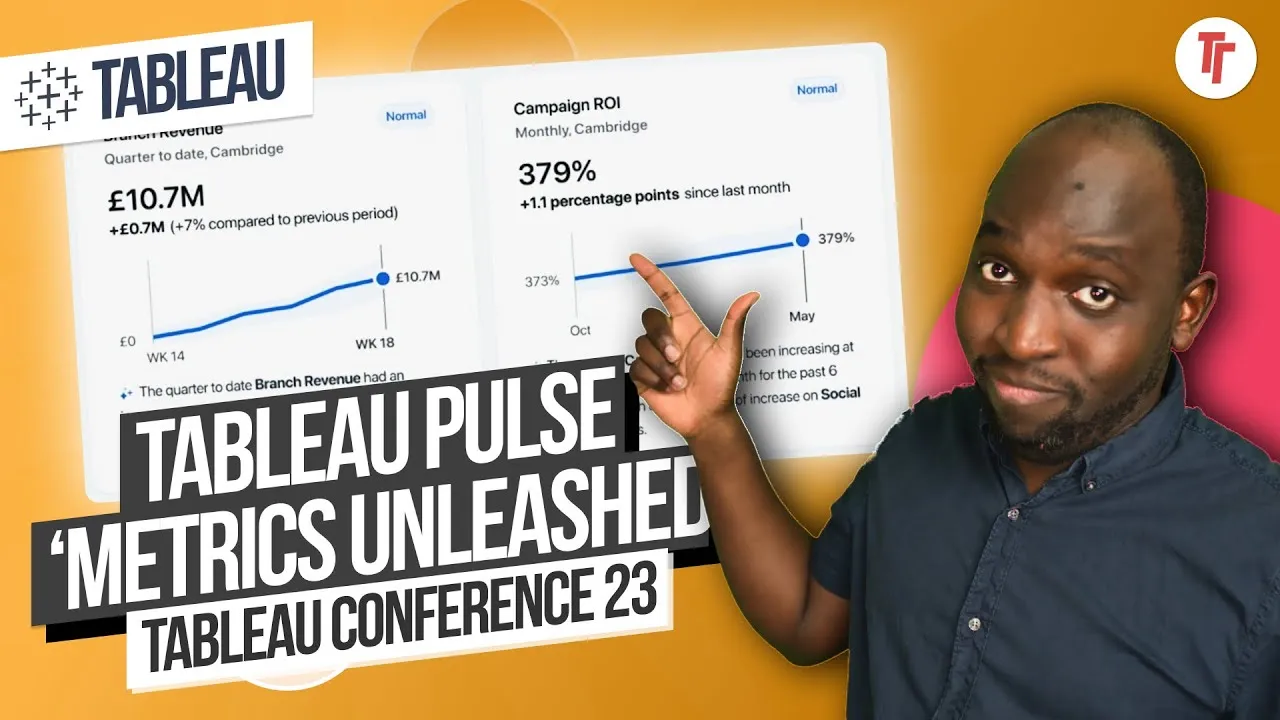
0:00Hey, it's Tim here. In this video, I've
0:02taken a segment from my two-hour breakdown
0:05of the Dreamforce Tableau keynote.
0:08In this section, I take a look at Tableau
0:09Pulse. I ended up breaking it down in a lot
0:11more detail than I have done in the past.
0:13So that's why I've sort of taken the
0:14snippet out from the two-hour video and I
0:17've put it up here on its own.
0:18If you've already watched that in full, you
0:19don't need to watch this.
0:20But if you're just looking for information
0:21about Tableau Pulse, I think you're going
0:23to find this interesting.
0:24As ever, let's get started.
0:26This is why today we're really excited to
0:28share with you our newest application,
0:30Tableau Pulse.
0:32Tableau Pulse is a whole new experience for
0:34data that's powered by generative AI.
0:37It's personalized for every single user,
0:40contextual to the task at hand, and it is
0:43smart.
0:44It enables you to pull out insights from
0:46your data automatically.
0:48I'm going to pause this here and just say I
0:51've actually done a video breaking down the
0:53Tableau Pulse announcement from Tableau
0:54conference.
0:55It goes into it in pretty much the same
0:57detail.
0:58If there's anything new in here, I will
1:00pull it out now.
1:01But I think this is going to be the same
1:02demo as we saw back then.
1:04So let's have a look.
1:06So you guys want to see it?
1:07Yeah? All right.
1:09Homer, are you ready to show it?
1:11Absolutely.
1:12All right. Please welcome Homer Wang.
1:14Homer Wang.
1:18All right. Thank you, Francois.
1:20And hello, Dreamforce.
1:22I'm Homer, a product manager here building
1:24Tableau Pulse and Tableau AI for all of you
1:27.
1:28Now, I hope you're just as real as I am.
1:31So this is an interesting starting point.
1:35Number one, we're in Slack.
1:36This is what this interface looks like.
1:38I'm actually a customer of Slack, and this
1:40looks like a new interface.
1:42It looks like an updated version of Slack
1:43that is, I think, trying to replicate Teams
1:45.
1:46I think they announced some sort of change
1:48that makes Slack look more like Teams for
1:50the companies that kind of really love
1:53Teams,
1:54but don't want to let go of it and want
1:55something that looks like that in order to
1:57switch.
1:58So really nice.
2:00Obviously, I think it's quite a polished
2:01setup.
2:02So what we have here is a Tableau app
2:03inside of Slack.
2:05And it's obviously the way Slack works with
2:08Tableau is...
2:09My watch is coming out.
2:11The way Slack works is that there's a Table
2:13au app which creates a one-to-one chat with
2:15you as an app.
2:16So that's what you can see here on the left
2:18-hand side.
2:19And in essence, in there is where it
2:21delivers you personalized messages and
2:23notifications.
2:25It doesn't yet feed those in entirely into
2:28the channels setup.
2:30I think it can post alerts into channels,
2:33but specifically these sorts of insights
2:34come to you via the app.
2:38To show you how we reimagine the way anyone
2:40interacts with data.
2:42So, demo hat's on, and let's dive right in.
2:46Like many of you, I start my day in Slack.
2:51With Pulse, I can get a personalized digest
2:53on the key metrics that I follow and matter
2:56most to me.
2:57Now, AI looks at what's happening across
3:00the board and delivers a crisp summary up
3:02front so that I know what to focus on in
3:04just two seconds.
3:06And here, I see an unusual uptick in...
3:09So let's just interrogate what this is
3:12doing.
3:13It's interesting because there's no visual
3:15element, but we do get this call-out of
3:19this unit indicator that we saw earlier on.
3:22So device cells, 1,375 units.
3:25You get this prompt that says, "Is it
3:26helpful or not?"
3:27And at the very top, we've got this Tableau
3:29Pulse Digest for September 12, 2023.
3:32So, this is something new. A Pulse Digest
3:35suggests that it's going to be sending you
3:37a daily update.
3:39And it's a digest of the things you care
3:40about.
3:41So device sales, campaign ROI, and regional
3:43revenue seem like three separate metrics,
3:46hence they're bold.
3:48So device sales are seeing an unusual spike
3:50since the beginning of this week, while
3:52quarterly regional revenue and monthly
3:54campaign ROI are steadily increasing.
3:57So these are three metrics, and it's
3:58basically telling you what's going on.
4:00Additionally, seven of your 12 other
4:02metrics have changed, four favorably and
4:04three unfavorably.
4:06So that's a pretty nice summary.
4:10What is interesting is there's no visual
4:11element here.
4:12So it would be nice to be able to see those
4:15metrics, like as a scorecard here.
4:17Like, just show me all 12.
4:19Show me the four favorable, the three
4:21unfavorable at the top.
4:23And then talk about the other seven, you
4:26know, that are just doing nothing,
4:30basically.
4:32So I think that would be kind of nice.
4:34And maybe this is where the product is
4:35heading.
4:36But, you know, immediately here, well,
4:39maybe that's what this... Actually, no,
4:41that is what this breakdown is below.
4:44The line below it makes it feel like it's
4:45something separate, but actually it's one
4:47thing.
4:48So then we do get a breakdown.
4:50Again, nothing visual, which is a shame.
4:52You get a text breakdown.
4:53So device sales, that's what we've got
4:55there.
4:56Regional revenue we've got there as well.
4:58And so let's see what else is in this.
5:00Let's keep carrying on.
5:01Device sales.
5:03Well, as a regional sales manager, this is
5:05great news.
5:07But I do need to understand a little more
5:08than that.
5:09So let's click in.
5:13Here on the metric detail page...
5:15So I clicked on Slack and it took them
5:17straight to a page in Tableau Pot.
5:20So I'm sure it won't be that smooth.
5:21It kind of animated in between the two.
5:23That's definitely something like a Figma
5:24interaction.
5:25But ultimately you go to Tableau Pass.
5:29This Tableau Pass interface feels almost
5:32entirely new.
5:33It doesn't feel native to Tableau.
5:34Super interesting.
5:35There's a whole social element to this.
5:37There's a whole profile element to this.
5:39If this is the new interface coming to
5:40Tableau Cloud, that's going to be super
5:42interesting.
5:43But you do get this lead in with this sort
5:44of visual element that I was talking about.
5:47So you can actually see the general trend,
5:50the kind of general area that your data
5:52performs in.
5:53And you kind of see a breakdown at the top.
5:56If you use something like Alteryx Auto Ins
5:57ights, this is very similar.
5:59But of course, Tableau definitely has an
6:02upper hand here.
6:04They've got the entire Tableau server and
6:07charting capability to boot as well.
6:10So with something like Alteryx Auto Ins
6:13ights,
6:14what you have to do is essentially push the
6:17data into Auto Insights from the output of
6:20an Alteryx flow.
6:22Or you can feed it specific data sources to
6:24look at.
6:25But even then, this just feels a little bit
6:28more sort of smoother.
6:30The experience feels smoother, even though
6:32it might actually be doing the same thing,
6:34but just not as advanced.
6:35Anyway, let's keep having a look.
6:37You can clearly see this latest anomaly
6:39picked up by Tableau and visually explained
6:41to me.
6:42I can also explore metadata on the metric
6:43that our endless friends helped define so
6:46that I can trust what I'm seeing.
6:49And if I want, I can…
6:52I think the fact that metadata is buried
6:53there is actually a bad thing, right?
6:55The device sells no one clicks on that eye
6:57indicator.
6:58How often do you see indicators like that?
7:00You just blow right past them.
7:01If anything, if it's like any sort of
7:03social or digital feed, what you do is you
7:05look at the things that are calling out at
7:07you.
7:08So the green and the big numbers, that's
7:11where you go to.
7:11If you tell me where do I find the
7:13information about this data source, you'd
7:17look around a little bit and you'd spot
7:19that eye and then you'd click on it.
7:21But it's not natural. I kind of feel like I
7:22should just sit up there at the top.
7:25Device sales, published by, owned by, and
7:28the kind of general metrics.
7:30And then show data metadata.
7:33Just call out that you are going to see the
7:35metadata for this data set rather than this
7:37very sort of clean interface, which feels
7:40like a UX win, but it's not a very useful
7:41…
7:42In business, you need context up front. You
7:44don't have to click in to see context.
7:46That makes it two activities that aren't
7:48necessary. One to click in, one to click
7:50out.
7:51So yeah, nice interface. But I just think,
7:54just put that metadata right up front.
7:57Tableau Cloud, Tableau Server does that
7:58already. And with certified data sources,
8:00you can just go and see some of that
8:01metadata immediately.
8:03So we'd love to see that here.
8:05Build this view to my own liking while
8:07respecting my security context.
8:09Okay.
8:10Now that I know what I'm looking at, what
8:13about the why?
8:16Well, guided questions just by AI help me
8:18phrase what I want to ask but don't
8:20necessarily know how.
8:22And here, I'm interested to know which
8:24products drove this sudden increase.
8:27Right.
8:28And with one click, I get a plain natural
8:30language insight accompanied by
8:32visualization, all coming from Tableau.
8:36There was a subtle sort of broken user
8:41interface there.
8:44When you clicked, the activity happened
8:47below.
8:48So if we just go back a few seconds, this
8:52is like ridiculously detailed product
8:54feedback.
8:55But hey, this is keynote breakdown. We can
8:57do this here.
8:58So here you can see the window, the fold as
9:00it were. So everything in the window is as
9:01is.
9:02But then if you click which products drove
9:04this sudden increase, essentially the
9:06activity happens out of the fold.
9:08Right. It kind of feels like the page
9:09should scroll.
9:10So you see that is one of those sort of,
9:12sort of, let's say, slightly difficult but
9:15annoying things to achieve in web design,
9:18where you're always keeping the user in
9:19context of what they're asking for.
9:21And when you click on that, I kind of feel
9:24like maybe the thing should load the new
9:28inside of the top and the old thing should
9:30go at the bottom.
9:31It's kind of unintuitive or click on it,
9:34but then scroll the page down.
9:35So the user sort of sees that story being
9:37told sort of vertically or goes to the
9:39right or goes to the left.
9:40Go wherever you want. Just make it more
9:41obvious.
9:42If you see this interaction, he clicks and
9:45then it goes over to the bottom.
9:48But we have to then scroll down to see it.
9:50So watch this.
9:50What I want to ask, but don't necessarily
9:52know how.
9:53So here we go.
9:54And here I'm interested to know which
9:55products drove the sudden increase.
9:58So with one click, I get a plain natural
10:01language insight accompanied by a
10:03visualization.
10:05All coming from Tableau.
10:08Now this inside here shows me the top
10:10drivers behind this change.
10:12Ethones and Simpson phones.
10:14Well, like Ryan said earlier, these smart
10:16devices, they're all the buzz these days.
10:20And of course, we all have our own
10:22questions too.
10:24Now, in this case, I'm wondering if we
10:26fulfill these orders so I can simply start
10:28by typing in pulse where smart and
10:30contextual recommendations come up at every
10:32step with the help of AI.
10:35OK, so let's just stop this for a second
10:37and make sure.
10:38Will we fulfill phone orders?
10:43Inventory fill rate, North American phone.
10:47What is projected inventory fill rate? Is
10:49there seasonality in inventory fill rate?
10:53OK, so basically the context here is.
10:59You've seen you've seen an increase in
11:01certain sales.
11:02And then you're basically asking, hey, are
11:03we are we going to be able to meet these
11:05orders?
11:06And by asking the question Tableau.
11:10Let's call it pulse, but it's actually GPT
11:13has come up with three perspectives, let's
11:17say inventory for North America, phone
11:21inventory, fill rate, North America tablet
11:23and then pending orders.
11:25North America's three ways that you could
11:28find out this answer based on metrics that
11:31exist.
11:32I have to assume that it's based on metrics
11:33that already exist.
11:35And yeah, let's let's let's play this out
11:38to see what's going on. I like the social
11:40element telling you which one most people
11:42follow.
11:43Maybe it should be sorted that way. Right.
11:44So most people are probably just going to
11:46go to that inventory fill rate, North
11:48America tablet.
11:49But the context of tablet and phone is
11:50super interesting.
11:52And I wonder if there's an inventory fill
11:54rate in North America view of which tablet
11:56and phone are actual filters.
11:58And so maybe there's some nesting and some
12:00hierarchy work that could work here to say
12:02that these are the same metric with
12:04different options.
12:06That could be a nice little interaction.
12:08But anyway, let's let's play this through.
12:11And there you have it. Another metric,
12:14another insight.
12:16All answer my question. So that kind of
12:18does answer my question. Inventory for it
12:20is the metric.
12:21North America is a regional filter category
12:23, the regional filter, and the month to
12:26month comparison is, again, contextual.
12:29Now, what is interesting is I think they've
12:31kept the month to month comparison
12:33consistent across these.
12:36But you do get an indicator says, "low". I
12:39assume you have like certain thresholds
12:41where you can set that when you build the
12:43metric in here.
12:45You have an overview and then you have a
12:46breakdown view. We'll see what that is in a
12:49second.
12:50You've got this little light bulbs
12:52inventory for a process of that is now 91
12:53percent.
12:54A drop below the expected range of 95 to 92
12:56. That doesn't mean it's bad.
12:59A new unfavourable trend has been detected
13:00for inventory for it's trending down
13:01compared to the previous trend.
13:03You see, that's an interesting one. Like if
13:05you have a blockbuster sales event, then
13:08you will get an unfavourable inventory for
13:10it.
13:11Right. And so that is maybe like a false
13:13positive. Right.
13:15It is bad. But if it's off the back of a
13:17really successful sales period, let's say
13:20you sell out of a product.
13:21That's not a bad thing, especially if you
13:24sell everyone that you made and you can't
13:27make them fast enough.
13:29That maybe leads to other questions around
13:31price and availability and resources and
13:33material. Right.
13:35So that could be something that scales unf
13:37avourably with Habro metrics.
13:40Right. Lots of false positive where people
13:41are going in saying something's unfavour
13:43able, but you go and look at it and you're
13:45like, well, that makes total sense.
13:46In fact, that happens all the time because
13:48I just ran a promotion and I expect my
13:49inventory for it to be super low because
13:51you build up stock to release them all at
13:53once.
13:54Easter eggs, Christmas, Halloween. These
13:57are all events that will have incredibly
13:59low inventory fill rates right after they
14:02've happened.
14:03You're not going to have a high fill rate
14:04for something like turkeys. So how does the
14:06system understand that content?
14:09How do you feed that content into the
14:10system, into these metrics to help you sort
14:12of understand that?
14:14So super interesting challenge for Tableau
14:16to figure out there.
14:17Since at the speed of thought. Now, what's
14:20happening behind the scenes is Pulse
14:23detects business critical insights such as
14:25drivers, trend, forecasts and outliers, all
14:28with trusted statistical calculations from
14:30Tableau.
14:31Where AI can make the language more consum
14:34able and deliver them to you proactively so
14:37that all of us can see and understand data.
14:41So I actually agree with that framing of AI
14:42. I think it's a really good way of putting
14:44it.
14:45AI is like an interface to the data. It
14:48allows you to ask a question and find the
14:49answer. And it's helping sort of synthesize
14:52what you want out of the data.
14:55And what is interesting is in the
14:57background, is AI doing the hard work or is
14:59it actually not just AI doing the hard work
15:02? Is there actually some other more complex
15:05thing going on?
15:06Are analysts setting up these metrics and
15:07building out these contexts like we've seen
15:09in the past with our data?
15:11Who is doing that work? Who is setting the
15:13contextual landscape for this AI machine to
15:16go off and understand how things work?
15:19So that is super interesting. Now, we do
15:20have a new chart here. This one's Amber.
15:23Let's try and figure out why.
15:24You ask what is the projected inventory
15:26fill rate. So I think it's drawn this Amber
15:29chart. Again, this was out of the fold,
15:32wasn't it?
15:33We landed on this page and it's only now
15:34that we've scrolled down. It might be
15:36because the demo screen is small and it's a
15:38laptop.
15:39But kind of vilifies my point earlier on.
15:43This nice little chart was out of the fold.
15:47So we didn't actually see it until you
15:48scroll down.
15:49But if this trend continues, inventory fill
15:52rate for phones is predicted to be 89% call
15:55. Is that a good or bad? That's fine.
15:57That might be fine if you've just had a new
15:58iPhone, for example. The new iPhone has
16:01just come out and you can't get any until
16:03November already, as is always the case.
16:06People just want new friends every year,
16:07apparently. But that's not a bad thing when
16:09you can't fill inventory that fast for a
16:12new product.
16:13That happens every single year. So who sets
16:16the context to say this is good or bad?
16:19Right.
16:19Can you tell the system that only let me
16:21know if it's if it's below 10% set a 10%
16:23threshold for inventory for if it falls
16:25below this, then we're going to have long
16:28term supply issues and long term demand
16:30issues and long term performing issues.
16:33Right. Where is that sort of capability?
16:36Anyway, let's play on.
16:38But it doesn't stop there. What if I want
16:41to stay on top of these changes and share
16:43my findings? Okay.
16:46Well, in just two clicks here, my entire
16:49team now is following inventory fill rate
16:51so that they can start tracking and acting
16:54on it, too.
16:56So if this is Tableau Pulse and this is
16:57going to sit inside a Tableau cloud, that
17:00interface we just saw there is completely
17:01different to the sharing interface we see
17:03today. Side by side, they're just not the
17:05same.
17:06I'll try and put a screenshot of it up on
17:08screen. Yeah, they're just not the same. So
17:10there's a whole lot of, let's say, staging
17:16here that if it's genuinely going to be
17:19available in December as we're seeing it
17:22like this.
17:23Wow, there's a lot of change coming to the
17:30Tableau platform. Definitely. And to
17:37confirm that, I can back out to my personal
17:37homepage where I'll be able to see
17:37inventory fill rate and I'll say other
17:37metrics that I care about.
17:37So let's look at this as well. Device sales
17:39had an unusual spike. Yeah.
17:41These are the same three summaries that we
17:43saw before. There's always this sort of was
17:46this helpful up or down? It feels like this
17:49is sort of like you're training the model
17:52on what you find useful.
17:54And if you do enough of these, eventually
17:55over time, they'll just probably stop
17:57asking you because they know. Right. Google
18:00used to do this. They used to ask you what
18:01you thought of a link and then it just
18:03eventually stopped because they figured out
18:05a way of figuring it out without having to
18:06ask you.
18:07So maybe something we see in the early
18:08stages of this kind of technology, but in
18:11the future, it will just know.
18:13It will just know based on metrics like how
18:14much time you spent, how much you engage
18:16with it, and then they'll start to sort of
18:18train analysts on how to create engaging
18:20metrics that actually drive actions and
18:22stuff like that.
18:24So super interesting. There are three
18:26metrics. Who knows what's below the fold.
18:28All metrics means probably everything that
18:31's shared with you, whereas the ones you're
18:33following are the ones you passionately
18:36care about.
18:37The best part is Pulse isn't just limited
18:40to Tableau. It's everywhere you and your
18:42teams work today. Like an email where you
18:45can receive a daily dose of your metrics.
18:49Let's ask April from my team here. Did you
18:52get it? Awesome.
18:55There you go. So you get a nice email and
19:01Tableau Pulse. Oh, interesting. That looks
19:04like a Pulse tab inside of the Tableau
19:06mobile app. Right. That's what that's got
19:09to be.
19:10That's all I can assume it is. You have
19:12Home and Explore, which are two tabs you
19:15get in Tableau today. Home is like the
19:17favorites and everything. Follow Explorer
19:20is that classic Explore tab.
19:20Pulse feels like it's going to be a new tab
19:21, which means probably when it comes to
19:23cloud, it will also be its own little site
19:24tab. It might even be the default place you
19:26start to go then to find other things. So
19:29it all makes sense.
19:31On your phone, where you can receive
19:34insights on the go. I am scrolling through
19:38them right now. And of course, in Slack, as
19:42you saw earlier, we get to collaborate more
19:45easily.
19:46But here at Dreamforce, we all care about
19:52Salesforce, don't we?
19:57You guessed it. I land in Salesforce and
20:02find out.
20:02The traditional Tableau customer doesn't
20:04care about Salesforce. Maybe I'm wrong. Let
20:07me know. But yes, he was kind of hoping
20:09they'd all say Salesforce and didn't quite
20:12land that one. But this is Tableau Pulse
20:14inside of Salesforce. Now it's interesting
20:16that as soon as it goes to Salesforce, it
20:18feels different, doesn't it? It looks
20:20slightly different.
20:21And Einstein has popped up already and you
20:23've got slightly different sort of layout.
20:25It feels like a more Salesforce centric
20:27version of Pulse. So that's interesting.
20:31There's something called Omni Channel Macro
20:32. I love seeing what else is on screen
20:34whenever you take like a screen grab like
20:35this. It kind of shows you the context of
20:38what people are thinking.
20:39Einstein is sitting in the corner there so
20:40you can ask some questions. But it's more
20:42or less the same thing. This might be like
20:44a new lightning web component that sits
20:47specifically inside of Tableau.
20:49There is a new one for Tableau in 23.3. And
20:54so this might be like a Pulse extension of
20:55that, which is kind of nice.
20:57Pulse homepage deeply embedded with all my
20:59favorite metrics in one place. And clicking
21:02into the metric here, I see the same
21:04detailed view with the same interactions
21:06that we've seen.
21:08Okay, so that answers the question. You
21:10have to have Tableau Cloud to have that
21:12kind of interaction. I don't see how you
21:15achieve that with a Tableau server behind
21:17firewalls. It just doesn't seem to work.
21:20So that might be a nicety you only get
21:23inside of Tableau Cloud. But with Tableau
21:28Server, you might be able to use something
21:31like connected apps to allow this to happen
21:34and get that working. But yeah.
21:36So let's rewind. We trust it. We're
21:40familiar with it. It's quick to find and
21:43easy to use. Now, all of us can truly
21:46succeed from anywhere.
21:49And this is Tableau Pulse. Metrics and
21:52insights reimagined, powered by Tableau AI
21:55to enhance and accelerate everyone. To make
21:59informed decisions fast and take actions on
22:03data.
22:04Thank you.
22:06[Applause]
22:08[End of session]
22:14[ Silence ]
 Tableau | Data visualisation | AI & ML | Industry trends